
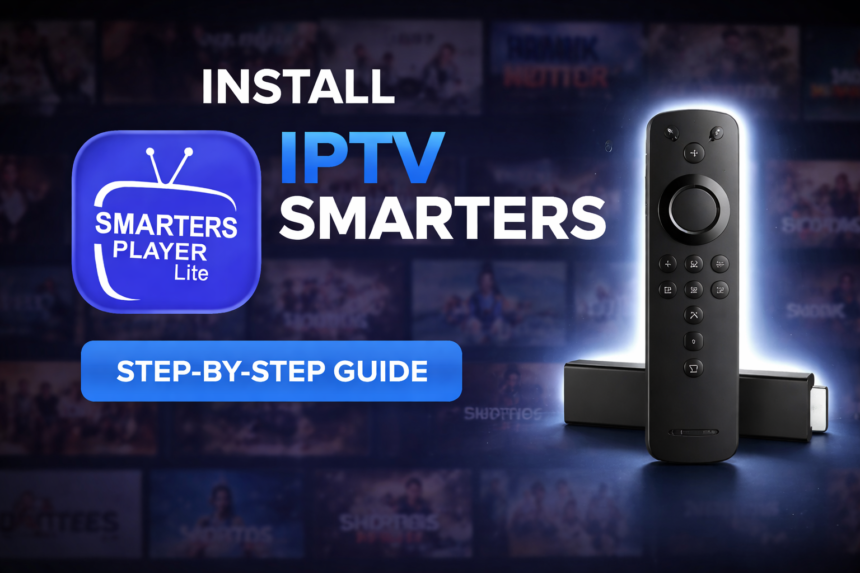
Key Takeaways
- IPTV Smarters Pro functions as a standalone media player designed to play your own legally acquired media through M3U, JSON playlists, and local storage—it does not host or distribute any channels or movies itself.
- Key features of IPTV Smarters Pro include an intuitive user interface, broad format support, high playback quality, and extensive customization options.
- The app supports multiple platforms including Android, iOS, iPadOS, macOS (Apple Silicon M1+), Apple TV (tvOS 15.6+), and Windows, enabling users to enjoy smooth streaming across different screens.
- Core playback features include live tv channels with EPG guides, video on demand libraries, TV series organization, audio playback, subtitles, and catch-up functionality with support for advanced video codecs.
- IPTV Smarters Pro does not promote or endorse unauthorized content or streaming services, and is designed to comply with copyright laws.
- Privacy and legal compliance are central to the app’s design: no data collection by the developer, no built-in channels, and strict adherence to copyright laws including the Indian Copyright Act 1957.
- IPTV Smarters Pro has received a rating of 4.5 out of 5 from users on various platforms.
- This guide covers installation, playlist configuration, customization tips, security best practices, and troubleshooting to help you get the most from this versatile media player.
What Is IPTV Smarters Pro?
IPTV Smarters Pro is a popular IPTV player app known for its compatibility with a wide range of devices, including Windows, Android TV, and more. It is widely used for streaming live TV channels, accessing video on demand libraries, and playing personally owned media files. The app is available in both a free version and a paid subscription, making it a convenient tool for accessing IPTV content from various IPTV service providers. IPTV Smarters Pro is frequently sideloaded on Android and Firestick devices using a trusted APK. Additionally, IPTV Smarters Pro requires macOS 12.5 or later and a Mac with Apple M1 chip or later for installation on Mac devices.
It’s crucial to understand what IPTV Smarters Pro is not: it does not host, sell, or distribute any tv channels, movies, or streaming services. The app operates purely as an iptv player that requires users to supply their own media content from legal sources. Whether you have a subscription with a legitimate IPTV provider or want to play media files from your local storage, Smarters Pro simply provides the playback interface—nothing more.
Typical use cases include watching live tv from your provider’s playlist, catching up on recorded shows through supported catch-up features, organizing your movie library with poster views and categories, or listening to radio and audio streams. The app serves users who want a single, reliable player to handle all their media content without juggling multiple apps. Its focus on seamless usability means you spend less time configuring and more time enjoying your favorite shows and favorite channels.
The user friendly interface prioritizes quick navigation, whether you’re using a TV remote, touchscreen, or mouse. On television screens, the layout accommodates remote-friendly controls, while mobile versions offer touch-optimized gestures for effortless media playback. This cross-device consistency is what makes iptv smarters a popular choice for households with multiple screens. Download it from here
Supported Platforms, Devices, and Requirements
One of IPTV Smarters Pro’s strongest advantages is its availability across multiple platforms. This means you can start watching a movie on your phone during a commute and continue on your TV at home—all using the same familiar player interface.
Here’s where you can download and run Smarters Pro:
- Android phones and tablets (Android 8.0 Oreo or later recommended)
- Android TV and Google TV devices
- Amazon Fire TV and Fire TV Stick
- iOS devices running iOS 15.6 or higher
- iPadOS on iPad with iPadOS 15.6+
- macOS computers with Apple Silicon (M1, M2, M3) running macOS 12.5 or later
- Apple TV running tvOS 15.6 or newer
- Windows PC with 64-bit support
For desktop users, a minimum of 4 GB RAM and a stable broadband connection ensures smooth streaming without excessive buffering. On Windows, the app benefits from hardware acceleration when available, letting you watch 4K content without straining your system.
When you download the app, always use official sources: Google Play Store, Apple App Store, Microsoft Store, or the developer’s official website. Avoiding unofficial APKs or clone apps protects you from malware and ensures you receive legitimate updates. Verify the exact app name and developer credentials before installation—this simple step prevents many security headaches down the road.
Core Features and Playback Capabilities
IPTV Smarters Pro is built to handle multiple playlist formats and streaming protocols, making it adaptable to various IPTV providers and personal media servers. The app supports M3U, M3U8, and json playlists, along with portal-style URLs commonly used by providers. Users must supply these playlists themselves from legitimate sources.
Below are the key features and playback capabilities, organized into distinct modules:
- Live TV: Browse channels through an EPG grid, quickly zap between stations, and access program schedules. The electronic program guide displays in both grid and list views depending on your preference.
- Movies (VOD): Organized with poster art, descriptions, categories, and ratings. Smarters Pro organizes movies into categories with posters, descriptions, and ratings, making it easy to browse and discover new content. Navigate large video on demand libraries efficiently using search and filtering options.
- TV Series: Episodes grouped by season for easy navigation. Smarters Pro organizes television series into categories with posters, descriptions, and ratings, allowing users to track their progress and pick up where they left off.
- Audio/Radio: Stream audio channels or play local audio files from a single interface. The app handles sound efficiently, supporting playback and conversion of audio tracks within multimedia files for a complete multimedia experience.
- Catch-up TV: Rewind live broadcasts by several hours (where supported by your provider) to watch shows you missed.
On the technical side, the app supports advanced video codecs including H.264/AVC and H.265/HEVC where available. Hardware acceleration leverages your device’s GPU for smooth HD and 4K playback without overtaxing the processor. Adaptive streaming helps maintain quality even when network conditions fluctuate.
Convenience features round out the experience:
- Create and manage favorites lists for quick access to preferred channels
- Resume playback remembers exactly where you stopped
- Multi-screen and picture-in-picture modes on supported operating systems
- Parental controls with PIN locks for restricting access to specific categories
- Master search function to find content across all your playlists
Live TV Streaming with IPTV Smarters Pro
IPTV Smarters Pro elevates the live TV experience by offering users effortless media playback of their favorite channels and shows. Thanks to its support for multiple playlist formats—including M3U and JSON playlists—you can easily load your personally owned media from both local storage and remote sources. This flexibility means you’re not limited to a single provider or device; instead, you can watch live TV, movies, and on-demand content wherever you are.
The app’s advanced video codecs ensure that every stream delivers smooth streaming and high-quality video, even for HD and 4K channels. Whether you’re catching up on the latest news, sports, or your favorite shows, Smarters Pro’s ultimate media player capabilities guarantee a high performance media experience. The intuitive design and user friendly interface make it simple to browse channels, organize playlists, and quickly access your most-watched content.
With IPTV Smarters Pro, users can enjoy smooth streaming of their legally acquired media, confident that the app is designed to comply with copyright regulations. The seamless integration of live TV, video on demand, and local media playback makes Smarters Pro a standout choice for anyone seeking a versatile media player that adapts to their viewing habits and preferences.
User Interface, Customization, and Experience
The design philosophy behind IPTV Smarters Pro prioritizes accessibility without sacrificing depth. On TV screens, the interface uses a remote-friendly layout with large tiles and clear navigation paths. Mobile versions respond to touch gestures naturally, making channel surfing and library browsing feel intuitive.
Key layout elements include:
- Home Dashboard: Quick access tiles for Live TV, Movies, Series, and Radio/Audio sections
- Category Navigation: Side or top menu depending on platform, with collapsible sections
- Channel Lists: Display as grids with logos or compact lists for faster scrolling
- Movie/Series Posters: Visual browsing with high-quality artwork pulled from your playlist metadata
Customization options let you tailor the experience:
- Switch between light and dark themes where available
- Reorganize or hide menu categories you don’t use
- Customize settings for default playback quality
- Set preferred audio track language for multilingual content
- Adjust EPG display density and refresh intervals
Player controls during playback include an on-screen bar for play/pause, seek, and volume. Quick access buttons let you toggle subtitles, switch audio tracks, or adjust aspect ratio. Quality selection (when your source provides multiple bitrates) helps balance picture clarity against bandwidth usage.
Platform-specific touches enhance the experience further. On Android TV and Apple TV, remote navigation follows platform conventions. Windows users can utilize keyboard shortcuts for common actions. Mobile devices respond to gestures—double-tap to skip forward, swipe vertically to adjust volume or screen brightness.
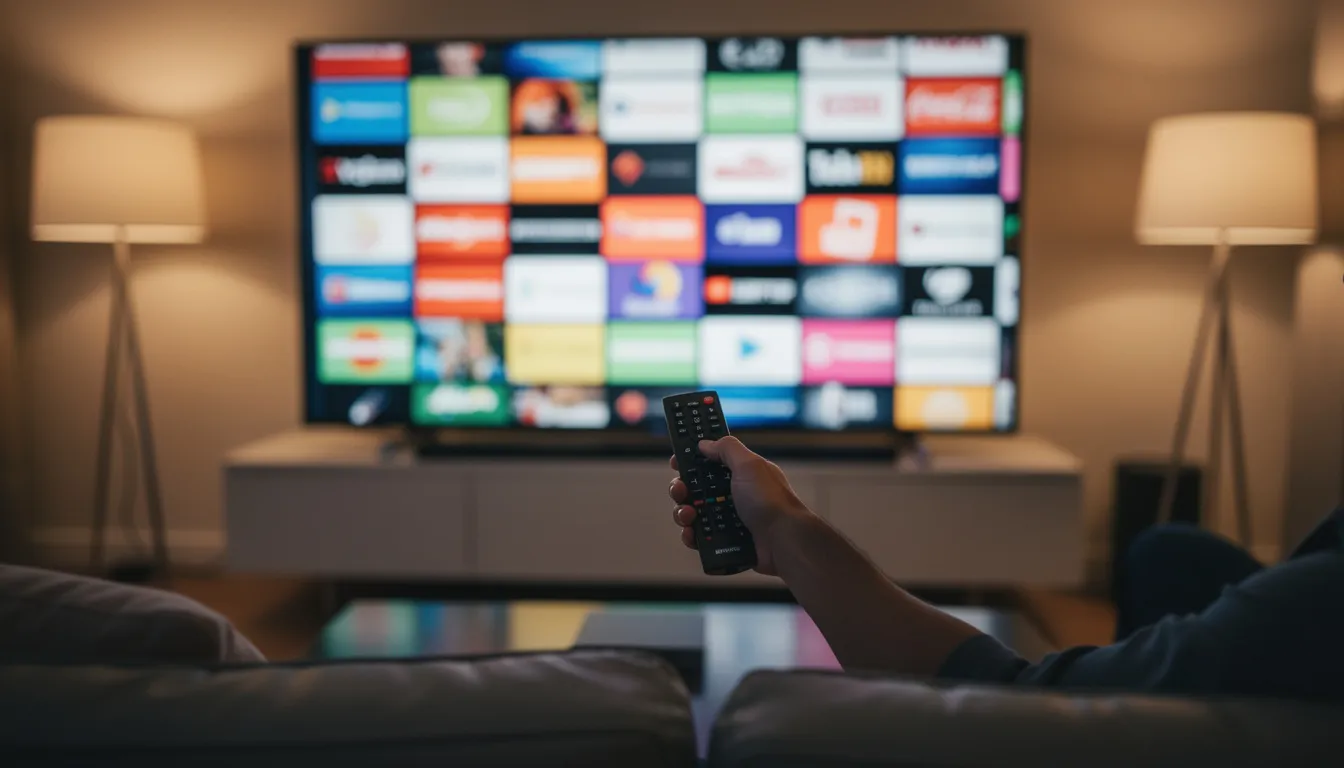
Personalization: Profiles, Preferences, and Watch History
IPTV Smarters Pro elevates your media experience by offering robust personalization options that put you in control of how you watch, listen, and organize your own legally acquired media. With its user friendly interface and intuitive design, the app makes it easy to create individual user profiles, each with their own set of preferences and watch history. This means every member of your household can enjoy smooth streaming of their favorite channels, shows, and movies, tailored to their unique tastes.
Setting up profiles allows users to customize settings such as preferred audio language, default video quality, and favorite channel lists. Whether you’re a fan of live TV, video on demand, or audio playback, Smarters Pro’s flexible system lets you prioritize the content and channels you love most. The app’s support for multiple playlist formats—including M3U and JSON playlists—means you can seamlessly integrate personally owned media from local storage or remote sources, ensuring your media content is always organized and accessible.
Watch history is another key feature that enhances usability. Smarters Pro automatically tracks your recently viewed shows and movies, making it effortless to pick up where you left off or revisit your favorite content. This is especially useful for users who enjoy binge-watching TV series or want to keep track of their progress across multiple platforms, such as Windows, iOS, and Android devices.
Importantly, all these personalization features are designed with privacy and security in mind. Smarters Pro does not collect or distribute user data, and it never facilitates unauthorized streaming or promotes illegal streaming services. The app strictly enables users to play their own legally acquired media, in full compliance with the Indian Copyright Act and Indian law. Any attempt to use the app for unauthorized distribution or access to copyrighted material may result in legal action, so users are encouraged to ensure all media content is obtained through legitimate means.
With advanced video codecs ensuring high quality playback and seamless usability across devices, Smarters Pro stands out as the ultimate media player for anyone seeking a high performance media experience. Whether you’re organizing your favorite channels, customizing your viewing preferences, or tracking your watch history, Smarters Pro empowers you to enjoy smooth streaming of your personally owned media—securely, legally, and exactly the way you want.
Legal Compliance, Privacy, and Security
Smarters Pro is designed as a legal, generic media player. The developer does not promote or endorse unauthorized content or streaming services, and emphasizes compliance with copyright laws. The app ships with no built-in channels, movies, or playlists whatsoever. Every piece of content you watch comes from sources you configure yourself.
Smarters Pro complies with copyright frameworks across jurisdictions. Under Indian law, specifically the Indian Copyright Act 1957, and similar legislation worldwide, unauthorized distribution or streaming of copyrighted material may lead to legal action. In Canada, IPTV is legal when accessed through licensed providers, but unlicensed services may violate local laws. Users bear full responsibility for ensuring their media sources are legitimate. The app merely plays what you provide—it cannot verify the legality of your streams.
Privacy practices may vary by platform, but the developer’s stated approach involves no data collection or tracking. There’s no mandatory login to central servers, and media credentials you enter are stored locally on your device. Your playlist URLs, usernames, and passwords remain under your control.
Security best practices every user should follow:
- Download only from official stores or the developer’s verified website
- Never share your playlist URLs publicly—treat them like passwords
- Use HTTPS connections to remote sources when available
- Consider a VPN where legal and appropriate, especially on public networks
- Avoid “preloaded” apps from third parties claiming to include free channels—these can be illegal, risky, or both
Remember that any offer of illegal streaming services bundled with a player is completely separate from the official Smarters app. Using such services could expose you to legal consequences and security risks.
Getting Started with IPTV Smarters Pro
Getting started with Smarters Pro is a straightforward process designed to help users enjoy smooth streaming and a high performance media experience right from the start. As the ultimate media player, Smarters Pro is available for download on multiple platforms, including Windows, iOS, and Android, making it easy to access your favorite shows, movies, and tv channels wherever you are.
After downloading and installing the app on your chosen device, you’ll be welcomed by an intuitive design and user friendly interface. This seamless usability ensures that even first-time users can quickly navigate the app, access their favorite channels, and begin effortless media playback. Smarters Pro supports multiple playlist formats, such as M3U and JSON playlists, allowing you to play your own legally acquired media from both local storage and remote sources. Whether you want to watch live streaming tv, enjoy video on demand, or listen to audio playback, Smarters Pro adapts to your needs as a versatile media player.
To start enjoying your personally owned media, simply add your playlists or media files to the app. Smarters Pro does not provide, host, or promote any media content, tv channels, or streaming services. Instead, it enables users to manage and play their own legally acquired media, ensuring that you remain in full control of your media content. The app’s advanced video codecs and support for various formats guarantee a high quality viewing experience, whether you’re watching HD movies, live tv, or listening to your favorite audio tracks.
Customization is at the heart of Smarters Pro’s key features. You can easily customize settings to optimize playback quality, select preferred audio tracks, and organize your playlists for quick access to your favorite channels and shows. The app’s flexibility means you can tailor your viewing experience to suit your preferences, all while enjoying smooth streaming across multiple platforms.
Smarters Pro is committed to legal compliance and user security. The app is developed in accordance with the Indian Copyright Act 1957 and Indian law, ensuring that it does not facilitate unauthorized streaming or illegal streaming of copyrighted material. Users are responsible for ensuring that all media content added to the app is legally acquired and that they have the necessary rights to play it. By following these guidelines, you can avoid potential legal action and enjoy a safe, secure, and enjoyable media experience.
Importantly, Smarters Pro does not collect or store any user data, providing peace of mind when it comes to privacy and security. The developer, Tech Smarters Private Limited, has designed the app to prioritize user protection, so you can focus on enjoying your media without concerns about data collection or distribution.
With its robust support for multiple playlist formats, advanced video codecs, and a user friendly interface, Smarters Pro stands out as the ultimate standalone media player for anyone looking to play their own legally acquired media. Whether you’re streaming live tv, accessing video on demand, or organizing your favorite channels, Smarters Pro delivers a high quality viewing experience on every device.
Installation, Setup, and Playlist Configuration
Setting up Smarters Pro involves two main steps: installing the app and adding your media sources. The process is straightforward regardless of which platform you’re using.
Installation steps:
- On Android/Android TV/Fire TV: Open the Play Store or Amazon Appstore, search for “Smarters Pro,” verify the developer name, and install
- On iOS/iPadOS/tvOS: Visit the App Store, search for the app, confirm the developer, and download
- On macOS: Use the Mac App Store (requires Apple Silicon)
- On Windows: Download from the Microsoft Store or the official website
First-run configuration:
- Launch the app and accept the terms of service
- Select your preferred language
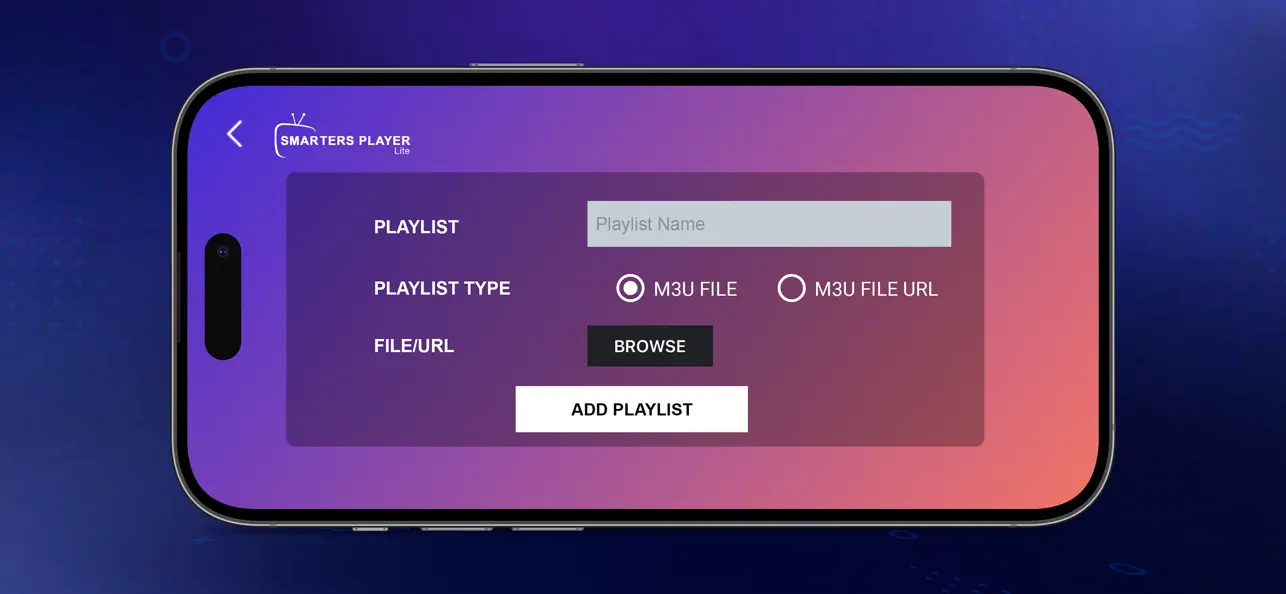
- You’ll reach the “Add User” or “Add Playlist” screen
Adding your media sources:
- Enter your M3U, M3U8, or JSON playlist URL from your IPTV provider
- Assign a profile name to identify this source (useful if you have multiple providers)
- Optionally add an EPG/TV guide URL if your provider supplies one separately
- Save the configuration and let the app fetch your channel and VOD lists
Helpful setup tips:
- Test your playlist URL in a web browser first to verify it downloads or displays correctly
- Use strong, unique passwords if your media server requires authentication
- Back up your playlist URLs and credentials in a secure password manager
- If channels don’t load initially, double-check for typos in the URL or expired credentials
The ability to add multiple playlists means you can aggregate content from different providers—a work playlist, a home media server, or a family IPTV subscription—all accessible from a single app.
Advanced Features and Settings
IPTV Smarters Pro stands out as the ultimate media player by offering a suite of advanced features designed to deliver a high performance media experience for every user. One of its key features is robust support for multiple playlist formats, including M3U and JSON playlists. This flexibility allows users to play their own legally acquired media from both local storage and remote sources, ensuring that your personally owned media is always accessible and organized the way you want.
The app is engineered for effortless media playback, whether you’re enjoying live streaming of your favorite tv channels, exploring a vast video on demand library, or listening to audio playback. Thanks to advanced video codecs such as H.264/AVC and H.265/HEVC, Smarters Pro enables users to enjoy smooth streaming and a high-quality viewing experience, even with HD and 4K content. Adaptive streaming technology further enhances playback by automatically adjusting quality based on your network conditions, so you can watch without interruption.
Customization is at the heart of Smarters Pro’s appeal. Users can easily customize settings to optimize their viewing experience—adjust default playback quality, select preferred audio tracks, set subtitle preferences, and fine-tune EPG display options. The user friendly interface makes it simple to organize playlists, manage favorite channels, and tailor the app’s appearance with light or dark themes.
As a standalone media player, Smarters Pro does not provide, host, sell, or promote any media content, tv channels, or streaming services. Instead, it empowers users to add and manage their own legally acquired media, giving you full control over your media content. The app is designed to comply with the Indian Copyright Act 1957 and does not facilitate unauthorized streaming or illegal streaming, ensuring a secure and legal media experience at all times.
Whether you’re streaming IPTV, watching movies, or listening to music, Smarters Pro’s advanced features and settings make it easy to enjoy smooth streaming and a high-quality viewing experience across multiple platforms. Its support for various video formats, intuitive design, and powerful customization options make it the go-to choice for anyone seeking a versatile, high-performance media player.
Older Versions and Updates
Smarters Pro is continually updated by its developer, Tech Smarters Private Limited, to enhance the media player’s performance, security, and feature set. While older versions of the app remain available for download, it’s highly recommended that users keep their app up to date. Regular updates not only introduce new features but also address security vulnerabilities, ensuring a safer and more reliable experience.
Users can visit the official Smarters website to find information about the latest updates, changelogs, and even access older versions if needed. The developer’s commitment to maintaining a high-quality app means that users benefit from ongoing improvements and responsive support. For details on update policies and maintenance, users should refer to the app’s terms and conditions, which outline how updates are managed and what users can expect from the development team.
Performance, Troubleshooting, and Best Practices
Network quality and device capability directly impact your viewing experience, especially for HD and 4K streams or large VOD catalogs. A few optimizations can make a significant difference.
Performance optimizations:
- Use wired Ethernet connections on TVs and PCs when possible—Wi-Fi introduces latency and potential interference
- Ensure at least 20-25 Mbps internet speed for reliable HD streaming; 4K content may require 50 Mbps or more
- Close background apps that consume bandwidth or system resources
- Enable hardware acceleration in player settings if available
Common troubleshooting scenarios:
- Channels not loading: Verify your playlist URL is valid and hasn’t expired; check if your provider is experiencing an outage; re-enter credentials if recently changed
- Buffering or stuttering: Test your internet speed independently; try reducing stream quality temporarily; switch from 5GHz to 2.4GHz Wi-Fi (or vice versa) to find a more stable connection
- Audio/video out of sync: Look for sync adjustment settings in the player; try a different audio track if available; restart the stream
- EPG not displaying: Confirm your EPG URL is correct; manually refresh the guide data; check if your provider’s EPG service is operational
Maintenance practices:
- Update Smarters Pro to the latest version regularly—updates often include performance improvements and bug fixes
- Reboot your streaming devices periodically to clear cached data and free memory
- Refresh your playlists when channels move, change names, or new content becomes available
- Clear the app cache if performance degrades over time
For channel-specific issues (missing channels, wrong content, billing questions), contact your IPTV or media provider directly. For app-related problems (crashes, UI bugs, feature requests), consult the app’s support resources or help documentation.
Support Resources
Smarters Pro is committed to providing users with comprehensive support resources to ensure a seamless and enjoyable media experience. Whether you’re new to the app or a seasoned user, there are multiple avenues available to help you get the most out of this versatile media player.
For step-by-step guides, troubleshooting tips, and detailed documentation, users can visit the official Smarters Pro website. Here, you’ll find FAQs, user manuals, and video tutorials covering everything from playlist configuration to advanced settings. The website also provides information on the latest updates, changelogs, and best practices for maintaining a high performance media experience.
If you encounter technical issues or have questions about specific features, the app’s in-app help section offers quick access to common solutions and setup instructions. For more personalized assistance, users can reach out to the official support team via the contact form on the developer’s website. The support team is knowledgeable about the app’s key features, legal compliance, and security best practices, and can guide you through any challenges you may face.
Community forums and user groups are another valuable resource, where you can connect with other Smarters Pro users to share tips, playlist recommendations, and troubleshooting advice. Always ensure you’re participating in reputable communities that respect legal guidelines and do not promote unauthorized streaming or illegal streaming services.
For security and peace of mind, always rely on official support channels and avoid third-party sites that claim to offer “preloaded” apps or unauthorized content. Smarters Pro’s developer, Tech Smarters Private Limited, prioritizes user privacy and legal compliance, so you can trust that official resources will help you enjoy smooth streaming of your own legally acquired media safely and responsibly.
By leveraging these support resources, you can maximize the benefits of Smarters Pro’s advanced features, customize settings to your liking, and ensure a high-quality viewing experience across all your devices.
Alternatives to IPTV Smarters Pro
While IPTV Smarters Pro is a leading choice for many users seeking a robust IPTV player and media player, there are several alternatives available that may better suit specific needs or preferences. Options like tivimate or GSE SMART IPTV or UHF IPTV offer similar functionality, supporting a wide range of video formats and playlist types for IPTV streaming.
Some users may also consider media players with built-in streaming server capabilities, which can provide advanced features for managing and playing IPTV and video content across multiple devices. Exploring different iptv player solutions allows users to find the best fit for their viewing habits, device compatibility, and desired features. Regardless of the choice, it’s important to select reputable apps that prioritize security and legal compliance, just as Smarters does.
FAQ
Does IPTV Smarters Pro include any channels or subscriptions by default?
IPTV Smarters Pro does not provide any tv channels, movies, or subscriptions. It functions purely as a media player requiring users to add their own legal IPTV or media sources. Any third-party offering “preloaded” channels with the app is unrelated to the official developer and may involve illegal or risky content. Always configure your own legally acquired media from legitimate providers.
Is IPTV Smarters Pro free to use, and are there any hidden costs?
The basic IPTV Smarters Pro app is typically free to download from major app stores. However, licensing terms may vary by platform and region, so check the specific store listing. Keep in mind that accessing content still requires separate arrangements with IPTV providers or media services—those costs are entirely independent of the player itself. The app doesn’t include payments for content; it only plays what you supply.
Can I use IPTV Smarters Pro on multiple devices with the same playlist?
Most users can configure the same M3U or JSON playlist on multiple devices running Smarters Pro. However, simultaneous connection limits depend on your IPTV provider’s terms, not the app itself. Some providers allow only one or two concurrent streams per account. Check with your provider before attempting to watch on several devices simultaneously to avoid service interruptions or account restrictions.
Does IPTV Smarters Pro work offline with downloaded media?
Live IPTV streams require an active internet connection—there’s no way around that for real-time broadcasts. However, if you have media files stored on local storage or accessible via your home network, Smarters Pro can play those without external internet once properly configured. The ability to download content for offline viewing depends entirely on your source or provider; the app itself simply plays what’s available to it.
How can I make sure I’m downloading the official IPTV Smarters Pro app?
Always install from trusted sources: Google Play Store, Apple App Store, Microsoft Store, or the developer’s official website. Before downloading, verify the exact app name and developer credentials match what you expect. Avoid modified APKs or look-alike apps from random websites—these can contain malware, display intrusive ads, or collect your data without consent. Taking a moment to verify authenticity protects both your security and your viewing experience.
Conclusion
IPTV Smarters Pro stands out as a versatile, user-friendly, and legally compliant standalone media player, enabling users to enjoy smooth streaming of their own legally acquired media across multiple platforms. With support for advanced video codecs, multiple playlist formats, and a highly intuitive interface, it delivers a high performance media experience for live TV, video on demand, and more. Regular updates and strong developer support ensure ongoing reliability and security. Whether you’re organizing your favorite channels, watching movies, or exploring alternatives, Smarters Pro empowers you to take control of your media content and enjoy it responsibly, anytime and anywhere.