
Key Takeaways
- This guide covers the best Firestick apps for free and paid movies, TV shows, sports, utilities, and IPTV, fully updated for early 2026
- Amazon Appstore apps like Netflix, Pluto TV, and Tubi work alongside powerful third-party options that users sideload via the Downloader app
- UHF IPTV and GSE Smart IPTV stand out as two of the best IPTV apps for Firestick in 2026, offering robust channel management, EPG support, and smooth streaming
- Kodi and Stremio remain the top all-in-one media center apps, while ExpressVPN and Downloader serve as essential companion tools
- Always verify local laws and stream only properly licensed content, as some apps aggregate third-party sources that may not be authorized in your region
Introduction: Why the Right Firestick Apps Matter in 2026
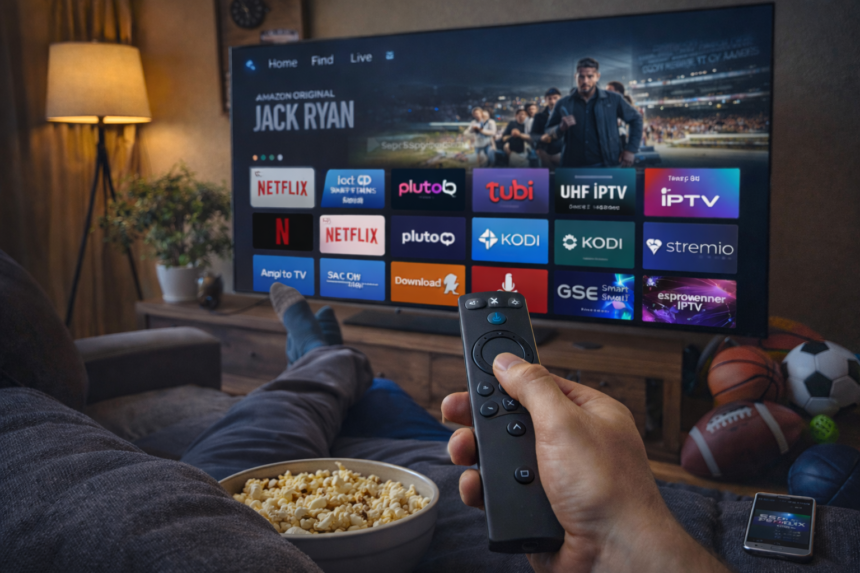
Your Amazon Firestick is only as powerful as the apps you install on it. Whether you own a Fire TV Stick 4K, the 4K Max, or the latest Fire TV Cube, the hardware delivers smooth 4K HDR playback and snappy navigation. The Fire TV Stick, often referred to as a fire stick, is a popular choice for streaming, but it’s worth noting that Android box devices also offer excellent compatibility and versatility for running a wide range of streaming apps. But without the right streaming apps, you’re leaving most of that potential untapped. The 2026 app ecosystem offers more content options than ever before, from fully licensed subscription services to ad-supported free platforms and sophisticated IPTV solutions.
Understanding the difference between official Amazon App Store apps and sideloaded APKs is essential for any Firestick user. Official apps install directly from the store with one click and receive automatic updates. Third-party apps, including some of the most powerful options available, require sideloading through the Downloader app using direct URLs or short downloader codes. This process is straightforward and supported by Amazon’s own developer options, making it accessible even for users who have never ventured beyond the official store. Many users prefer sideloading apps on Firestick for enhanced functionality and access to content. Devices compatible with firestick android tv platforms offer even greater flexibility, allowing you to sideload APKs and access a wide variety of streaming apps for movies, TV shows, and live content.
This article covers everything you need to transform your Fire TV into a complete entertainment hub. We’ll walk through the best apps for free movies and on demand content, dive deep into IPTV apps with special attention to UHF IPTV and GSE Smart IPTV, explore sports and live TV options, and round out with essential utilities like VPNs and file managers. Every recommendation reflects real-world performance on current Fire OS versions, with attention to buffering, link quality, and active developer support heading into 2026. This free guide provides step-by-step resources to help the end user set up streaming apps and optimize their device usage.
Best Core Streaming Apps for Movies & TV Shows (Free + Paid)
Before diving into specialized apps, you need a solid foundation of core streaming apps that deliver reliable access to movies and TV shows. This section covers the must-have options that most Firestick users should install first. We’ll look at both completely free ad-supported apps and premium subscription services to give you a balanced view that fits any budget.
Kodi (Free, Open Source)
Kodi remains the gold standard for open-source media centers in 2026. This powerful, community-driven platform runs smoothly on all Fire TV devices, including older models and the Fire TV Cube. Kodi transforms your Firestick into a fully customizable entertainment system capable of handling local media libraries, streaming add-ons, and live TV integration. Kodi is a popular free APK for streaming movies and TV shows, but it requires additional addons for content. Some third-party Kodi addons and builds provide access to a wide range of free content, including adult content, so users should be aware of the types of media available.
Because Kodi is not available in the Amazon App Store, you’ll need to sideload it using the Downloader app. The process is simple:
- Open Downloader on your Firestick
- Enter the official Kodi download URL (kodi.tv/download)
- Download the Android ARM 64-bit version
- Install and grant storage permissions when prompted
- Delete the APK file to save space
Power users typically integrate Real Debrid or Premiumize accounts with Kodi add-ons to unlock high-quality 1080p and 4K links with minimal buffering. The platform also excels at organizing personal media collections from network drives or USB storage. With thousands of skins and builds available, you can customize the interface to match your preferences exactly.
Stremio (Free with Optional Premium)
Stremio offers a simpler, more streamlined alternative to Kodi that works perfectly for users who want quick streaming without constant maintenance. The app uses a cloud-based add-on system that syncs across multiple devices, including your Firestick, Android devices, Windows PC, and macOS. This means your watchlist, add-ons, and preferences follow you everywhere.
The user friendly interface makes Stremio ideal for Firestick beginners who find Kodi’s depth overwhelming. Navigation works smoothly with the standard Fire TV remote, and the app loads quickly even on older hardware. Community add-ons provide access to an extensive library of movies TV shows and live content, with HD and 4K options available depending on your sources and connection speed.
To get started, create a free Stremio account, sideload the app via Downloader, and sign up through the interface. Your account syncs everything, so you won’t lose progress if you reset your device or add Stremio to additional Android boxes or computers.
Netflix, Max, Hulu & Other Major Subscriptions
The major subscription services remain the backbone of most streaming setups in 2026. Netflix, Max (formerly HBO Max), Hulu, Disney+, Paramount+, and Peacock all offer native Fire TV apps available directly from the Amazon App Store. Installation takes seconds, and these apps deliver fully licensed content with the best video quality your hardware supports, including 4K Dolby Vision and Dolby Atmos on compatible devices.
Each service has distinct strengths:
| Service | Best For | 2026 Price Range |
|---|---|---|
| Netflix | Global originals, wide selection | $7–$23/month |
| Max | HBO series, DC content, movies | $10–$20/month |
| Hulu | Next-day TV, Hulu Live option | $8–$18/month (base) |
| Disney+ | Marvel, Star Wars, family content | $8–$14/month |
| Paramount+ | CBS shows, NFL, movies | $6–$12/month |
| Peacock | NBC content, Premier League | $6–$14/month |
For most households, combining one or two premium subscriptions with free ad-supported apps creates a complete streaming experience without approaching traditional cable costs. Peacock TV maintains a solid 4.4/5 star rating among Firestick users, while services like YouTube TV (4.6/5 stars) and Hulu (4.7/5 stars) offer excellent live TV alternatives.
Pluto TV, Tubi, Freevee & Other Free Legal Apps
Budget-conscious viewers have more quality options than ever in 2026. Pluto TV, Tubi, The Roku Channel app, Xumo Play, and Amazon’s Freevee catalog (accessible through Prime Video’s “Watch for free” section) all deliver legal, ad-supported content without any subscription fees.
Pluto TV stands out with hundreds of linear live channels organized by genre, essentially recreating the cable TV experience for free. With a 4.7/5 star rating from Firestick users, it offers everything from news and sports highlights to movies and classic TV. Tubi earns its 4.8/5 rating with one of the largest free movie libraries available, updated regularly with new titles.
These free streaming app options work exceptionally well on older Firestick models because they don’t demand the processing power of 4K HDR streams. Xumo (4.3/5 stars) focuses on free live content, while The Roku Channel mixes live TV channels with on demand movies and shows. For users prioritizing VOD movies, Tubi leads the pack. For live channel variety, Pluto TV remains the top choice.
Best IPTV Apps for Firestick in 2026 (Including UHF IPTV & GSE Smart IPTV)
IPTV apps function as front-end players that stream live TV channels and sometimes VOD content from IPTV providers. Unlike Netflix or Pluto TV, these apps don’t supply content themselves. Instead, they connect to your IPTV subscription, playing back the channels and video on demand your provider makes available through M3U playlists or Xtream Codes API logins.
Before installing any IPTV app, understand that you must supply your own properly licensed IPTV service. Many legitimate providers offer legal access to regional channels, international broadcasts, and premium channels through authorized agreements. This article does not provide or endorse any unlicensed streams. The apps themselves are legal tools; your responsibility lies in choosing a legitimate content source.
In 2026, UHF IPTV and GSE Smart IPTV stand out among IPTV apps on Firestick. Both offer exceptional stability, comprehensive channel management features, and interfaces designed specifically for remote control navigation. Let’s examine each option in detail.
UHF IPTV – Premium IPTV Experience on Firestick
UHF IPTV has emerged as a leading dedicated IPTV app optimized specifically for Firestick and Android TV devices. The app focuses on delivering smooth streaming for live TV, sports, and international channels with minimal setup required. Its modern interface feels native to the Fire TV ecosystem, making navigation intuitive even for first-time IPTV users.
Key features that make UHF IPTV a top choice:
- Support for both M3U playlists and Xtream Codes API login
- Built-in EPG (Electronic Program Guide) with automatic updates
- Catch-up TV functionality for rewatching recent broadcasts
- Favorites system and custom channel grouping
- Multiple playlist support for users with several IPTV subscriptions
- Optimized for Firestick remote navigation
Performance on the FireStick 4K Max with 5 GHz Wi-Fi is excellent, with users reporting minimal buffering when paired with a quality IPTV provider. The app handles large channel lists efficiently, loading EPG data without the sluggishness some competitors exhibit.
To install UHF IPTV on your Firestick:
- Open the Downloader app
- Enter the official UHF IPTV download URL or downloader code
- Download and install the APK
- Launch the app and sign in with your IPTV account credentials
- Configure your EPG source if not auto-detected
GSE Smart IPTV – Versatile IPTV Player with Advanced Controls
GSE Smart IPTV stands as one of the most flexible IPTV players available for Firestick in 2026, particularly appealing to power users who manage multiple playlists or providers. Where UHF IPTV focuses on simplicity, GSE Smart IPTV offers deeper configuration options and advanced playback controls.
The app supports a wide selection of playlist formats and connection methods:
- M3U and M3U8 playlist URLs
- JSON format playlists
- Xtream Codes API connections
- EPG XMLTV integration
- Timeshift for pausing and rewinding live TV
- Dedicated VOD sections
- External player integration (VLC, MX Player)
- Parental control features
Navigation works fine with the Firestick remote for basic channel surfing, though the app offers more content through its advanced configuration screens. You can group channels by category, sort by name or number, filter by HD/SD quality, and create detailed favorites lists for different family members or viewing preferences.
A typical setup workflow in GSE Smart IPTV:
- Import your M3U URL from a legal IPTV service
- Add your EPG XMLTV source for program information
- Allow the app to download and map channel data
- Create custom favorites lists (e.g., Sports, Kids, News, Movies)
- Adjust buffer settings based on your connection speed
For users who want more content options and deeper customization, GSE Smart IPTV delivers. It handles everything from basic channel viewing to complex multi-playlist setups with regional content from providers around the world.
IPTV Smarters Pro & Similar Clients
IPTV Smarters Pro offers another polished option for Firestick IPTV viewing, with a focus on multi-profile support and family-friendly organization. The app supports live TV, VOD content, series libraries, and catch-up features when your provider enables them.
The interface presents channels in a category-based grid that feels familiar to anyone who has used a traditional cable box. A built-in player handles most streams smoothly with subtitle support, and the app remembers your viewing position in VOD content across sessions.
Comparing the three major IPTV players:
| Feature | UHF IPTV | GSE Smart IPTV | IPTV Smarters Pro |
|---|---|---|---|
| UI Complexity | Simple | Advanced | Moderate |
| Multi-Playlist | Yes | Yes | Yes |
| EPG Support | Built-in | XMLTV Import | Provider-dependent |
| External Players | Limited | Full Support | Limited |
| Parental Controls | Basic | Advanced | Yes |
| Best For | Beginners | Power Users | Families |
While these IPTV apps are popular choices for Firestick, it’s worth noting that the Nvidia Shield is also a compatible device for streaming live TV and using apps like Stremium, offering another robust option for accessing and recording IPTV content and digital TV services.
Whichever IPTV player you choose, remember that the real streaming experience depends heavily on your IPTV provider’s quality and licensing status. A beautiful app cannot fix an overloaded server or poor source links.
Tips for Getting the Best IPTV Performance on Firestick
Maximizing IPTV performance requires attention to both your network setup and device configuration:
- Use 5 GHz Wi-Fi whenever possible, or connect an Ethernet adapter for the most stable connection
- Close background apps before launching IPTV players to free RAM
- Clear app cache regularly through Fire OS settings
- Keep Fire OS and your IPTV apps updated to the latest version
- Trim large channel playlists to remove channels you never watch
A good VPN like ExpressVPN can reduce ISP throttling on IPTV streams, particularly during peak evening hours when providers often slow video traffic. Choose a server geographically close to your IPTV provider’s infrastructure for the best results.
Older Firestick models may struggle with heavy EPGs and playlists containing thousands of live channels. If you experience consistent buffering or slow EPG loading, consider upgrading to a FireStick 4K Max or Fire TV Cube for smoother performance. Alternatively, ask your IPTV provider for a trimmed playlist focusing on channels you actually watch.
Always verify that your IPTV usage complies with local regulations and your provider’s terms of service. Legitimate IPTV services exist for regional and international content, but the market also contains unauthorized providers operating outside copyright law.
Best Apps for Live TV & Sports on Firestick
Beyond IPTV solutions, Firestick supports numerous dedicated sports and live TV apps. Whether you want NFL games, Premier League matches, UFC fights, or cricket coverage, there’s an app designed specifically for your interests. This section covers both official subscription services and free alternatives that provide live sports events and news channels.
Official Sports Apps: ESPN, DAZN, FuboTV & More
ESPN, DAZN, Fox Sports, CBS Sports, and various league-specific apps provide the most reliable licensed live sports streaming. These apps install directly from the Amazon App Store and offer HD and 4K broadcasts with professional production quality.
DAZN has expanded its sports coverage significantly, focusing on combat sports (boxing, MMA) and certain soccer rights depending on your region. FuboTV positions itself as a sports-first live TV service in North America, bundling dozens of sports channels alongside entertainment and news. CBS Sports covers NFL, college football, and golf through its Paramount+ integration.
Subscription requirements vary:
- ESPN+ integrates with the ESPN app ($11/month standalone or bundled with Disney+)
- DAZN pricing varies by region ($20–30/month typical)
- FuboTV starts around $75/month but includes 100+ channels
- YouTube TV (4.6/5 stars) at $73/month covers major sports networks
These official apps offer the smoothest streaming experience for major live sports events, with minimal buffering and professional commentary. If watching your favorite teams without interruption matters more than cost, these services deliver.
Free Live TV Alternatives
Cord-cutters who want free TV without IPTV complexity have several options. Pluto TV, Xumo Play, Distro TV, The Roku Channel, and Local Now all offer free, ad-supported live channels covering news, entertainment, and limited sports highlights.
Local Now deserves special mention for regional content, pulling live content from approximately 300 local TV stations and covering about 80% of American households. Backed by Gray Television, CBS Stations, and the National Association of Broadcasters, Local Now provides local news and community programming that national streamers ignore. The app includes a built-in program guide and requires no sign up or registration.
A typical free live TV channel lineup includes:
- 24/7 news channels (news-format content similar to major networks)
- Sports highlights and classic games
- Classic TV shows and movies
- Lifestyle and reality programming
- Niche genre channels (true crime, comedy, music videos)
These free apps work best as supplements to a primary streaming setup. Combine Pluto TV’s linear channel variety with an IPTV app like UHF IPTV or GSE Smart IPTV for comprehensive live viewing that rivals traditional cable.
For unofficial live TV options, apps like TVMob (4.7/5 stars), Rapid Streamz (4.6/5 stars, downloader code 1424353), and Sportsfire (downloader code 4133681) offer free content from various categories. These require sideloading and carry more risk regarding content sources, so proceed with appropriate caution and awareness of local laws.
Best Utility & System Apps for Firestick (VPN, Sideloading, File Management)
Beyond streaming apps, Firestick power users need essential tools for privacy protection, app installation, and performance optimization. These utility apps don’t provide content themselves but unlock the full potential of your device and third-party streaming applications.
ExpressVPN – Privacy & Throttling Protection
A quality VPN app like ExpressVPN serves multiple purposes on Firestick. It encrypts your internet traffic to prevent ISP monitoring, protects your data when streaming on public Wi-Fi, and can help access region-locked apps that are legal in your jurisdiction but geo-restricted by default.
ExpressVPN installs directly from the Amazon App Store, making setup straightforward. ExpressVPN is fully compatible with the fire stick, allowing users to access various entertainment options and enhancing security and privacy features through VPNs:
- Download ExpressVPN from the store
- Log in with your account credentials
- Select Smart Location for automatic server selection
- Connect before launching streaming apps
For HD and 4K streaming through a VPN, choose a server geographically close to your actual location and ensure your home connection provides at least 50 Mbps download speeds. Distant servers and slow connections will introduce buffering regardless of VPN quality.
One important clarification: VPNs provide privacy and can reduce throttling, but they do not legalize pirated streaming. Using a VPN while accessing unlicensed content still violates copyright law. Use VPNs responsibly for their intended privacy and access benefits.
Downloader – Sideload Any Compatible APK
The Downloader app is the foundational tool for installing third-party APKs on Firestick. Without it, you cannot easily install Kodi, Stremio, UHF IPTV, GSE Smart IPTV, or dozens of other valuable apps not available in the Amazon App Store.
Downloader includes a minimal browser interface where you enter direct URLs or short downloader codes to download APK files. The app is free, lightweight, and maintained by the AFTVnews team specifically for Fire TV devices.
Sideloading basics with Downloader:
- Go to Settings > My Fire TV > Developer Options
- Enable “Install Unknown Apps” for Downloader
- Open Downloader and enter your APK URL or code
- Download completes automatically
- Select Install when prompted
- Delete the APK file after installation to save storage space
Always download APKs from official developer sources. Avoid random APK mirror sites, “modded” versions with removed ads, or files from unknown origins. These often contain adware, malware, or broken code that won’t receive updates.
ES File Explorer & File Management Alternatives
File managers help advanced users browse local storage, manage downloads, sideload apps from cloud storage, and clean junk files. ES File Explorer remains popular despite its age, offering network share access (SMB, FTP), cloud drive connections, and basic file operations.
Some versions of ES include in-app purchases and promotional content, so navigate carefully and stick to basic file operations. For most users, Fire OS system settings handle cache clearing and storage management adequately, but ES adds flexibility for network transfers and cloud file access.
Alternative file managers like X-plore or File Commander offer similar functionality with different interfaces. Any of these apps works fine for basic tasks like moving APK files from cloud storage or browsing USB drives connected via OTG adapter.
Mouse Toggle, Task Killer & Other Handy Tools
Several small utility apps dramatically improve Firestick usability:
Mouse Toggle adds a virtual mouse cursor controlled by the remote’s directional pad. This solves navigation problems in touch-oriented Android apps that don’t properly support D-pad navigation. Many sideloaded apps were designed for touchscreens, and Mouse Toggle bridges that gap.
Task Killer apps close background processes to free RAM and improve performance on older or heavily-loaded Firesticks. While Fire OS manages memory reasonably well, manually killing apps before launching demanding IPTV or streaming apps can reduce stuttering.
Wolf Launcher and Projectivy Launcher replace the standard Fire TV home screen with cleaner alternatives that hide Amazon’s sponsored content and auto-playing videos. Projectivy Launcher is particularly popular, offering customization control over layout, wallpaper, and app organization so you see only your installed apps rather than algorithmic recommendations.
These tools are optional but significantly enhance usability for anyone who sideloads multiple apps or wants a cleaner interface.
Best Apps for Music, Casting & Local Media Playback
Many Firestick owners use their device for more than video streaming. Music playback through quality speakers, casting content from phones, and playing local media files all benefit from the right apps.
VLC Media Player – Play Almost Anything
VLC is a must-have free media player that handles virtually any video or audio format thrown at it. Subtitle support, streaming URL playback, and broad codec compatibility make it invaluable on Firestick.
Common VLC use cases on Fire TV:
- Playing video files from USB storage via OTG adapter
- Accessing network shares (SMB, NFS) for local media libraries
- Streaming direct URLs from various sources
- Serving as an external player for IPTV and streaming apps
Many IPTV apps including GSE Smart IPTV allow selecting VLC as the external player, which often provides smoother playback for problematic streams. VLC’s advanced settings let you adjust buffering, playback speed, and audio sync when needed.
Spotify, Amazon Music & Other Music Apps
Spotify and Amazon Music both offer native Fire TV apps with free ad-supported tiers. Premium subscriptions (Spotify at $12.99/month) remove ads and unlock higher-quality 320 Kbps playback with offline downloads on mobile devices.
Using Firestick for music makes sense when connected to soundbars or home theater systems. Alexa voice control works naturally with both services, letting you request artists, playlists, or genres without navigating menus. Prime members already have access to a decent Amazon Music catalog at no additional cost, making it a solid option for casual listening.
TuneIn and iHeartRadio provide radio station streaming if you prefer live broadcasts over on-demand music libraries.
Screen Casting & Mirroring Apps
AllCast and Video & TV Cast enable casting content from Android or iOS devices to your Firestick. Personal videos, photos, and some browser content can stream directly to your TV without cables.
Basic setup:
- Install the casting app on both your phone and Firestick
- Connect both devices to the same Wi-Fi network
- Open the phone app and select your Fire device as the target
- Choose content to cast
Limitations exist: latency makes game streaming impractical, and DRM-protected content from apps like Netflix won’t cast through these tools. Fire OS also includes built-in screen mirroring for compatible Android devices, though third-party apps often provide more reliable connections for other phones and tablets.

How to Install Third-Party Apps Safely on Firestick
Sideloading apps like Kodi, Stremio, UHF IPTV, and GSE Smart IPTV is safe when done correctly. The process uses Amazon’s own developer options and doesn’t modify system firmware or void warranties. The risk comes from installing APKs from untrustworthy sources.
Follow these steps for safe sideloading:
- Enable Developer Options: Navigate to Settings > My Fire TV > About > Click “Fire TV Stick” seven times to unlock developer options
- Allow Unknown Apps: Go to Settings > My Fire TV > Developer Options > Install Unknown Apps > Enable for Downloader
- Use Official Sources: Only download APKs from official developer websites or verified repositories
- Verify Before Installing: Check that the file size and version match what the developer advertises
- Delete APKs After Installation: Remove downloaded files to save storage space
Avoid these common mistakes:
- Downloading from random “free APK” sites that bundle malware
- Installing “modded” or “cracked” versions of paid apps
- Using outdated APKs that haven’t been updated in years
- Granting unnecessary permissions to unfamiliar apps
Keeping Fire OS updated provides important security patches. Combined with apps from known sources, your sideloading activities pose minimal risk to device security.
Remember that how you use installed apps remains your responsibility. Sideloading Kodi with video add-ons is legal; using those add-ons to stream content requires that the content sources are properly licensed. The end user is responsible for the legality and content accessed through third-party applications and services.
Wrapping Up: Building Your Ideal Firestick Setup in 2026
The best Firestick setups combine complementary apps rather than trying to do everything with one device app. Start with one or two premium subscriptions that match your interests, add free apps like Pluto TV and Tubi for variety, install a powerful IPTV app like UHF IPTV or GSE Smart IPTV for live channels, and round out with essential utilities including ExpressVPN and Downloader.
Resist the temptation to install every app that looks interesting. Each app consumes storage space and potentially runs background processes that slow performance. Test new apps, keep those you actually use regularly, and uninstall the rest. This discipline matters especially on Firestick Lite and older models with limited RAM and storage.
Periodically check for app and Fire OS updates to maintain security and streaming quality. Developers regularly improve performance, fix bugs, and adapt to changes in content sources. Keeping everything current ensures you get the best possible experience from your Fire TV devices.
As 2026 progresses and new apps launch, the core principles remain constant: choose reliable sources, optimize your network and VPN configuration, and favor well-supported apps over short-lived alternatives. With the right setup, your Firestick delivers entertainment value that rivals—or exceeds—traditional cable at a fraction of the cost.
Frequently Asked Questions
Are IPTV apps like UHF IPTV and GSE Smart IPTV legal to use on Firestick?
IPTV player apps themselves are completely legal tools. UHF IPTV, GSE Smart IPTV, and IPTV Smarters are simply media players that connect to streaming services. The legality depends entirely on the content source you connect to the app.
Using these apps with a properly licensed IPTV subscription that has rights to broadcast the channels is legal. Using them with pirated or unauthorized playlists violates copyright law regardless of which app you choose. Many legitimate IPTV providers exist for international channels, regional broadcasts, and specialty content.
Before subscribing to any IPTV service, verify that the provider has licensing agreements for the channels they offer. If pricing seems too good to be true or the provider makes no mention of content rights, proceed with extreme caution. Check your local laws regarding IPTV usage as regulations vary by country.
Will these Firestick apps work on older models like the 2018 Fire TV Stick?
Most apps covered in this guide—Kodi, Stremio, UHF IPTV, GSE Smart IPTV, Pluto TV, Tubi, VLC—still function on older Firestick models. However, performance and video quality may be limited by hardware constraints.
For smoother operation on older devices:
- Lower video resolution settings to 720p when available
- Close all background apps before launching demanding IPTV or streaming apps
- Use a task killer utility to free RAM
- Keep the device well-ventilated to prevent thermal throttling
- Consider limiting IPTV playlist sizes to reduce EPG loading times
If you stream IPTV regularly or want consistent 4K playback, upgrading to a Fire TV Stick 4K Max or Fire TV Cube provides noticeably better performance in 2026. The newer hardware handles large playlists, complex EPGs, and high-bitrate streams without the stuttering that plagues older models.
Do I really need a VPN on my Firestick for these apps?
A VPN is strongly recommended but not technically required for most streaming activities. The primary benefits include:
- Reduced ISP throttling: Many ISPs slow video traffic during peak hours; VPNs can bypass this
- Privacy protection: Your ISP cannot see which streaming services or channels you access
- Geo-restriction workarounds: Access region-locked apps that are legal in your jurisdiction
A VPN does not make illegal streaming legal. Accessing pirated content through a VPN still violates copyright law. The VPN simply adds a privacy layer to your connection.
Heavy IPTV users and those who stream during evening peak hours typically see the most benefit from VPN connections. Choose a fast VPN service with servers near your location and your IPTV provider’s infrastructure for optimal performance.
How can I fix buffering issues when using IPTV apps on Firestick?
Buffering in IPTV apps usually stems from network issues, overloaded provider servers, or device limitations. Troubleshoot systematically:
Network optimizations:
- Switch from 2.4 GHz to 5 GHz Wi-Fi if your router supports it
- Move your Firestick closer to the router or use a Wi-Fi extender
- Consider an Ethernet adapter for wired connection
- Test your connection speed using a speed test app
Device optimizations:
- Clear cache for your IPTV app through Fire OS settings
- Close unused background apps
- Reduce playback resolution if the app allows
- Restart your Firestick before extended viewing sessions
Provider-side issues:
- Buffering during prime-time hours suggests overloaded servers
- Try switching to a different channel or server within your provider
- Contact your IPTV provider about persistent issues
- Consider switching providers if problems continue
Test your speeds with and without VPN enabled. Sometimes VPN routing actually improves stability by avoiding congested ISP paths; other times it adds latency. Experiment to find what works best for your specific setup.
Is it safe to “jailbreak” a Firestick to install these apps?
What most people call “jailbreaking” on Firestick is simply enabling “Unknown Sources” or “Install Unknown Apps” to allow sideloading through Downloader. This is not true jailbreaking—it doesn’t modify system firmware, void warranties, or compromise device security. Amazon explicitly provides this option in developer settings.
The safety of sideloading depends entirely on which APKs you install. Using official developer sources for apps like Kodi, Stremio, UHF IPTV, and GSE Smart IPTV is generally safe. These apps are actively maintained, widely used, and regularly scanned by the security community.
Risk increases when installing APKs from unknown websites, using “modded” versions with removed protections, or downloading files that claim to unlock paid content for free. Practice basic security hygiene: use official sources, verify file details before installing, keep Fire OS updated, and avoid granting excessive permissions to unfamiliar apps.
Free APKs and Downloader Code: Unlocking More Firestick Content
Free APKs and downloader codes have opened up a world of streaming possibilities for Firestick users, making it easier than ever to access a huge variety of free movies, TV shows, live TV channels, and even live sports events. The key to this flexibility is the Downloader app, which is available directly from the Amazon App Store. With Downloader, you can quickly install third-party apps (APKs) that aren’t found in the official store, simply by entering a downloader code or direct URL.
This method allows Firestick users to bypass the Google Play Store and install apps directly onto their Fire TV, Fire TV Cube, or Android boxes. Downloader codes are short, easy-to-remember numbers that link to specific APK files, streamlining the installation process and saving time. Once installed, these free APKs can provide access to extensive libraries of on demand content, including the latest movies, trending TV shows, and a wide selection of live TV channels from around the world.
Popular free APKs like Stremio, Kodi, and Syncler are favorites among Firestick users for their ability to aggregate free content from various sources, offering a seamless streaming experience with minimal ads and high-quality streams. Ocean Streamz is a newer APK that offers movies, shows, and live channels, and is known for its user-friendly interface with simple navigation, making it easy to browse and select content. Flix Vision is an all-in-one APK that provides access to movies, shows, and live content in high definition. BeeTV is a popular APK for on-demand content, including movies, TV shows, and anime. Viva TV is a well-known APK that provides access to a wide range of HD links for movies and shows, including 4K content. FilmPlus is an APK that provides access to movies and shows, often compared to Terrarium TV. Nova TV is an APK that offers thousands of films and shows and works well with external players. Whether you want to watch movies, catch up on live sports events, or explore new TV channels, these apps make it possible—all without a subscription. With the right downloader code and a few clicks, you can transform your Firestick into a powerful entertainment hub, unlocking more content than ever before.
Best Browser Apps for Firestick
Browsing the web on your Firestick is simple and enjoyable with the right browser app. The Amazon Silk Browser comes pre-installed on many Fire TV devices, including the Fire TV Cube and Firestick, and is designed for smooth streaming and easy navigation. With features like bookmarks, desktop mode, and parental controls, Silk offers a user-friendly interface that makes it easy to stream web-based movies, TV shows, and even live sports events directly on your TV.
Another excellent choice is the Firefox Browser, which you can download from the Amazon App Store. Firefox is known for its secure and private browsing experience, making it a solid option for users who value privacy while streaming or surfing the web. For those seeking a more customized experience, the Puffin TV Browser stands out with its fast page loading and intuitive design, optimized specifically for TV screens and remote navigation.
These browser apps enable Firestick users to access a wide range of online content, from streaming platforms to news sites and more. Whether you’re looking to stream movies, catch live sports events, or simply browse your favorite websites, these apps ensure a smooth streaming experience on all Fire TV devices. With easy installation and reliable performance, they’re essential additions to any Firestick setup.
Best Productivity Apps for Firestick
While streaming is the main attraction for most Firestick users, adding productivity apps can turn your device into a versatile tool for everyday tasks. ES File Explorer is a powerful file manager app that lets you organize files, clear storage, and connect to cloud services—all from your Firestick. This app is especially useful for managing downloads, moving files between devices, and keeping your Fire TV running smoothly.
Mouse Toggle is another must-have utility, allowing you to navigate Android apps that aren’t fully optimized for the Firestick remote. With Mouse Toggle, you can easily click, scroll, and interact with any app, making it much easier to use a wider range of Android apps on your TV.
For staying organized, the Calendar app helps you schedule events and set reminders, while the Notes app provides a simple way to jot down ideas or keep track of important information. Installing these productivity apps is straightforward using the Downloader app and a downloader code, giving Firestick users quick access to a variety of tools that enhance both streaming and daily life.
Whether you’re managing files, navigating new apps, or keeping your schedule on track, these productivity apps make your Firestick more than just a streaming device—they turn it into a true smart TV companion.
Introduction to Fire TV and Fire TV Stick
Amazon’s Fire TV and Fire TV Stick have become household names in the world of streaming, offering users a simple and affordable way to transform any television into a smart entertainment hub. These devices are designed to deliver a seamless streaming experience, whether you’re watching the latest movies, catching up on TV shows, tuning in to live TV, or following your favorite sports events.
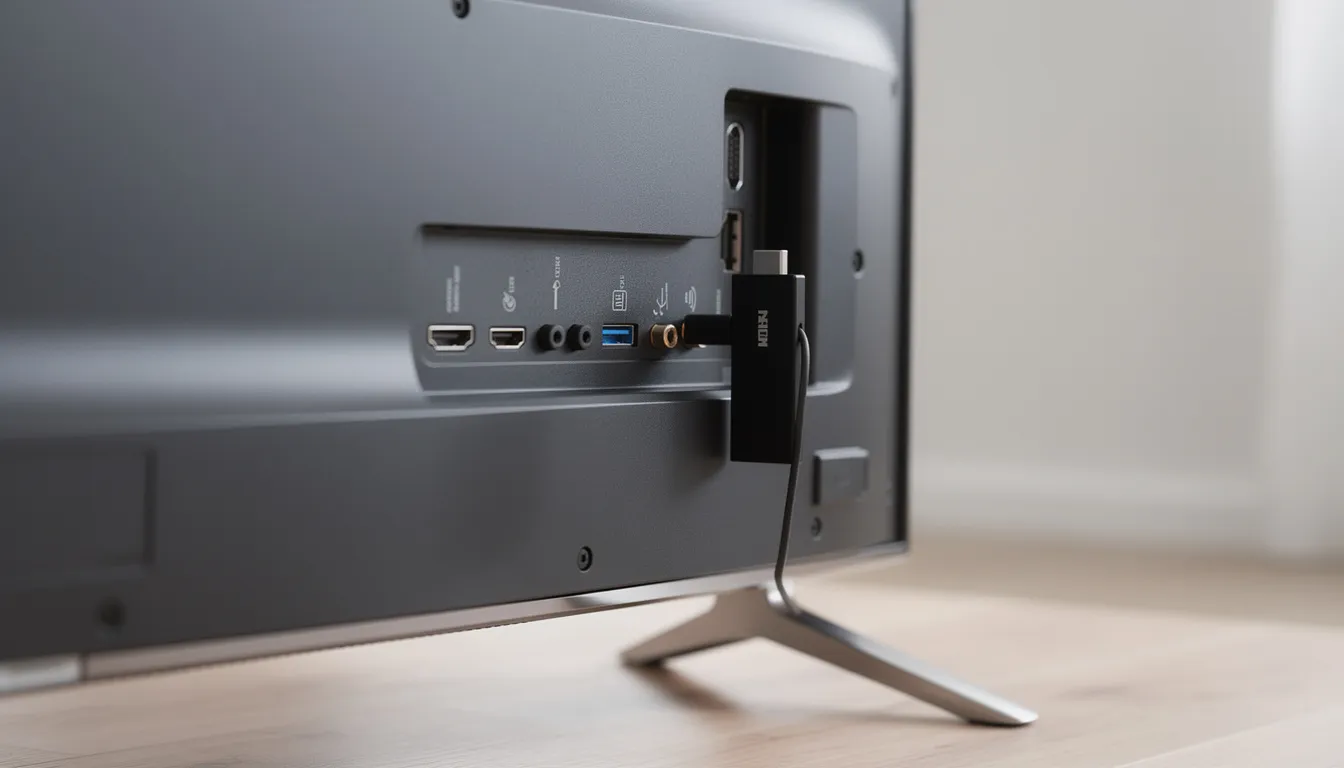
The Fire TV Stick is a compact, plug-and-play device that connects directly to your TV’s HDMI port, making it perfect for both home use and travel. It’s an ideal choice for anyone looking for a budget-friendly way to access a wide selection of streaming apps from the Amazon App Store, including Netflix, Hulu, Amazon Prime Video, and many more. With a user-friendly interface and smooth streaming capabilities, the Fire TV Stick makes it easy to browse, search, and enjoy content across various categories.
For those seeking a more advanced streaming setup, the Fire TV Cube takes things a step further. With built-in Alexa voice control, the Fire TV Cube lets you launch apps, search for movies and TV shows, control smart home devices, and even adjust the volume—all hands-free. Its powerful hardware ensures fast navigation and high-quality video playback, making it a top choice for users who want the ultimate streaming experience.
Both Fire TV and Fire TV Stick support a wide range of streaming apps, giving users access to live TV channels, on demand movies, music, and more. Beyond the official Amazon App Store, you can also install third-party apps like Kodi and Stremio to unlock even more content options, including extensive libraries of movies, TV shows, and live content from around the world.
Whether you’re a casual viewer or a streaming enthusiast, Fire TV devices offer the flexibility, performance, and ease of use needed to enjoy all your favorite entertainment in one place. With support for smooth streaming, a user-friendly interface, and the ability to install a variety of apps, Fire TV and Fire TV Stick remain top choices for anyone looking to upgrade their TV experience.