
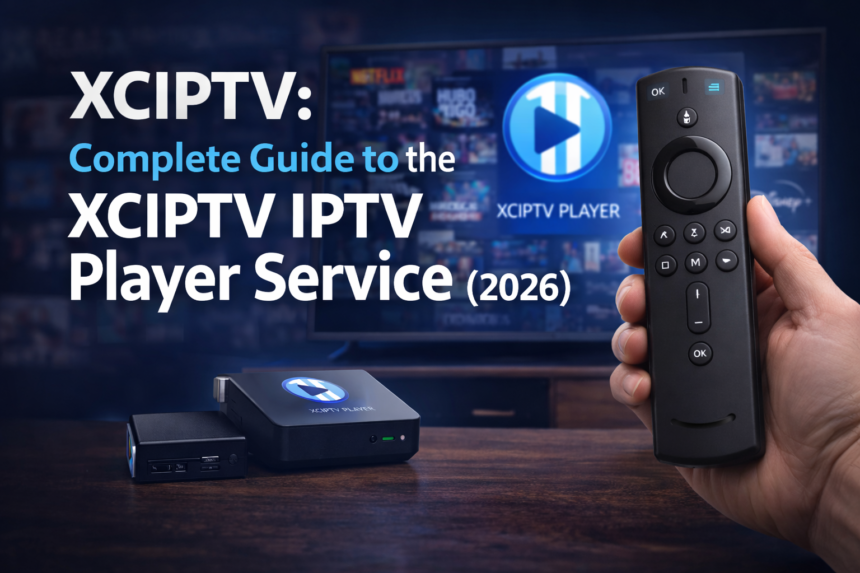
If you’ve been exploring cord-cutting options, you’ve likely encountered XCIPTV—a name that appears both as a popular IPTV player app and as branding used by various third-party IPTV subscription services. Understanding the distinction between these two concepts is crucial before you dive into the world of internet-based television streaming on your android device.
You can install XCIPTV Player on your Android device, Android TV, or Firestick, and this article will guide you step by step on how to install XCIPTV Player.
Key Takeaways
- XCIPTV is primarily a free IPTV player app for Android ecosystems (smartphones, tablets, Android TV, and Amazon Firestick) that does not include any channels—you must add your own legal iptv subscription via M3U or xtream codes to access content.
- Many websites marketing “XCIPTV subscriptions” are separate third-party IPTV providers that use the XCIPTV Player or custom-branded clones as their recommended app—always distinguish between the app itself and any paid iptv service.
- The xciptv player supports live tv, VOD, series, catch-up, recording, multi-screen viewing, and works seamlessly on multiple devices including Android TV, smartphones, tablets, and Amazon Firestick via sideloading.
- Key features include an electronic program guide (EPG), HD/FHD/4K streaming at 60 FPS for sports, parental controls, favorite channels lists, and dual video player engines (ExoPlayer and VLC).
- Popular alternatives like Tivimate, UHF IPTV App and GSE Smart IPTV offer different strengths—UHF focuses on speed and simplicity while GSE Smart IPTV excels in multi-platform support and playlist management.
The XCIPTV Subscription Concept
When users search for “XCIPTV subscription” in 2026, they typically encounter third-party IPTV services that either integrate with the official XCIPTV Player or distribute custom-branded versions of the app as their primary viewing platform. These services operate independently from the xciptv app itself.
These subscription services generally offer extensive channel lineups—often thousands of live channels spanning sports, entertainment, news, and movies—alongside VOD libraries and series collections. Many providers also include highly requested channels, movies, and series to meet user demand. Most providers structure their plans around monthly or yearly fees, positioning themselves as budget-friendly alternatives to traditional cable packages.
Common selling points you’ll see marketed include:
- Cost savings: Typically 50-70% cheaper than cable subscriptions
- Global channel coverage: Access to US, UK, European, and international networks
- HD/UHD streaming: Support for 1080p and select 4K content
- Multi-device access: Watch on smartphones, tablets, TV boxes, and Firesticks
The official XCIPTV Player itself does not sell subscriptions or provide channels. It functions purely as a media player that requires users to input credentials from an external iptv service.
Before paying for any “XCIPTV subscription,” verify the provider’s legitimacy by checking their registration date, reading user reviews on forums, and confirming their refund policy. Many scam websites misuse the XCIPTV branding to appear more trustworthy than they actually are.
XCIPTV as a Global IPTV Service (International Reach)
Many IPTV providers using XCIPTV-compatible systems target an international audience, serving users across the US, Canada, UK, Europe, MENA regions, and Latin America. This global reach makes them attractive to expatriates, multilingual households, and viewers seeking content from their home countries.
Typical international channel coverage includes:
| Region | Common Channels |
|---|---|
| United States | Local networks, regional sports, cable news |
| United Kingdom | Freeview-style channels, Sky alternatives |
| Europe | National broadcasters (German, French, Italian, Spanish) |
| MENA | Arabic entertainment, news, and sports networks |
| Latin America | Telenovelas, sports, and local programming |
These services frequently provide multi-language audio tracks and subtitles in English, Spanish, French, Arabic, Portuguese, and other languages for their VOD and series content. This flexibility makes content accessible to diverse household members with different language preferences.
Time-shifted channels and catch-up TV features (typically 24-72 hours) help international users watch prime-time programming from other time zones according to their own schedule. A viewer in California can watch UK evening shows at a convenient local time rather than staying up until midnight.
Quality international providers also maintain region-specific VOD libraries featuring Bollywood films, Turkish dramas, Latin telenovelas, and Asian content alongside their global movie and series catalogs.
Live TV, VOD, PPV, and On-Demand Libraries
A typical XCIPTV-powered subscription combines live tv, on-demand VOD, and PPV into a unified interface that users navigate from their home screen. This integration eliminates the need to switch between multiple apps or services for different types of content.
Live TV Features
Live television remains the backbone of most iptv services, typically offering:
- 24/7 news channels from major networks worldwide
- Sports coverage including football, basketball, tennis, Formula 1, and UFC
- Entertainment and movie channels in various genres
- Kids’ programming and educational content
- Documentary and specialty channels
- Music and lifestyle networks
Most channels include epg support, displaying current and upcoming programs so users can plan their viewing.
VOD Content Categories
As of 2026, expect on-demand libraries to include:
- Recent cinema releases (usually available within weeks of digital release)
- Classic movies across all genres
- Complete TV series seasons with episode tracking
- Kids’ animation and family content
- Documentaries and special features
PPV Integration
Major boxing, MMA, and wrestling events typically appear under dedicated PPV sections. Premium sports events that would normally require separate pay-per-view purchases through cable often appear in these libraries, though availability varies by provider.
Quality and Bandwidth
Modern iptv services use HEVC/H.265 encoding and HLS adaptive streaming to deliver stable HD/4K streams. For optimal video quality without buffering:
- HD content: 10-15 Mbps internet speed
- FHD (1080p): 20-25 Mbps
- 4K/UHD: 35-50 Mbps
Watch XCIPTV on Any Supported Device
Device flexibility represents one of XCIPTV’s strongest advantages. The app runs across the entire android ecosystem, from smartphones to dedicated streaming boxes, making it accessible regardless of your preferred viewing setup.
Smart TVs and Android TV
The xciptv smart player works on Android TV platforms including Sony Bravia, Philips, Hisense, and Chromecast with Google TV. Some users can find the app on the google play store directly, while others may need to sideload the apk file depending on regional availability.
Amazon Firestick and Fire TV
Amazon devices require sideloading since XCIPTV isn’t available on Amazon’s official app store. Installation typically involves:
- Enabling “Install unknown apps” in Firestick settings
- Using the Downloader app or similar browser-based tools
- Navigating to the official XCIPTV download source
- Running the installation process
This method works on Firestick 4K, 4K Max, Fire TV Cube, and older Firestick models, though newer devices will deliver better performance.
Android Smartphones and Tablets
The app runs smoothly on Samsung Galaxy devices, Xiaomi, OnePlus, and other Android phones and tablets. These portable options allow users to watch content on the go or use their smartphone as a remote control for the TV version (using code XC72 via Bluetooth pairing).
Android Set-Top Boxes
Dedicated streaming boxes like Nvidia Shield, Formuler devices, and generic TV boxes provide the optimal xciptv experience. These devices typically offer more processing power, better cooling, and dedicated remote controls designed for television navigation.
Non-Android Platforms
While XCIPTV itself is Android-only, users on Windows, macOS, or iOS can access the same iptv subscription using alternative iptv players like GSE Smart IPTV or web-based players that support M3U and xtream codes formats.
Membership and Perks
Becoming a member of XCIPTV unlocks a world of exclusive perks designed to elevate your streaming experience. With membership, users gain access to premium channels and enjoy priority customer support, ensuring any questions or issues are resolved quickly and efficiently. Members also benefit from regular updates, which introduce new features and improvements to the app, keeping the streaming experience fresh and optimized.
One of the standout advantages of the XCIPTV membership program is the ability to use multiple connections. This means you can watch your favorite channels and content on various devices, including Android devices, Android TV, and smart TVs, all under a single account. Whether you’re catching up on live TV in the living room, streaming movies in the bedroom, or enjoying series on the go, XCIPTV’s user-friendly interface makes it easy to access your favorite channels and content from anywhere.
The app’s intuitive design ensures that users of all experience levels can navigate effortlessly, find their favorite channels, and discover new content. With support for live TV, movies, and series, XCIPTV membership brings a complete entertainment package to your TV screen, all at an affordable price. Enjoy seamless streaming, enhanced support, and a truly global selection of content—XCIPTV membership is your gateway to the best in IPTV.
World-Class Support and Easy Onboarding
Reputable IPTV providers using XCIPTV prioritize fast setup and responsive support to reduce friction for non-technical users. This focus on customer experience often separates legitimate services from fly-by-night operations.
Standard Support Channels
Quality providers typically offer:
- WhatsApp and Telegram groups for quick questions
- Live chat widgets on their websites
- Email support with ticket tracking
- 7-day availability with response times under 1-3 hours
Setup Documentation
Look for providers that supply detailed tutorials with screenshots or video walkthroughs covering:
- XCIPTV installation on Android TV and Firestick
- Xtream Codes login configuration
- M3U playlist setup
- EPG integration steps
- Troubleshooting common issues
Remote Assistance
Some services offer remote assistance via AnyDesk or TeamViewer for users struggling with configuration on Android TV boxes or Windows PCs. This hands-on support can be invaluable for less technical users.
Typical Policies
Trustworthy providers generally offer:
- Free test lines (24-48 hours) before purchase
- Ticket systems for technical issues
- Clear escalation paths when streams buffer or channels go offline
- Transparent refund policies with reasonable timeframes
Step-by-Step: XCIPTV Subscription and Setup Process
This section provides a realistic, 2026-ready flow from subscription purchase to watching channels on XCIPTV Player. The process involves three main steps: subscribing with a provider, receiving your account details, and adding those details to the xciptv app.
When entering your credentials in the app, you may need to click a ‘Sign In’ or ‘Sign’ button to complete authentication and access your content.
Before proceeding, understand that you must choose a legal iptv provider that owns or licenses the content they distribute. XCIPTV itself bears no responsibility for any catalog accessed through it.
Step 1 – Subscribe to an IPTV Service Compatible with XCIPTV
Choose an IPTV provider that supports xtream codes (portal URL, username, password) or M3U playlists, as these are the login formats XCIPTV accepts.
Typical 2026 subscription plans include:
| Duration | Common Price Range | Notes |
|---|---|---|
| 1 Month | $10-20 | Good for testing |
| 3 Months | $25-40 | Slight discount |
| 6 Months | $45-70 | Better value |
| 12 Months | $70-120 | Best per-month rate |
Many providers offer multi-connection add-ons for 2-4 devices at additional cost, allowing simultaneous streaming on multiple connections.
During checkout, you’ll typically enter:
- Email address for delivery
- Preferred package/plan
- Payment method (card, PayPal alternatives, or crypto)
- Device type (optional, for customized setup guides)
Reliable providers usually send credentials within 5-15 minutes after successful payment, though some may take up to a few hours during peak demand periods.
Store your portal URL, username, and password in a password manager or secure note. Never share these credentials publicly.
Step 2 – Receive and Verify Your Order
Your IPTV details typically arrive via email with subject lines like “Your IPTV Line – XCIPTV Ready – February 2026” or through encrypted Telegram/WhatsApp messages.
The data you should receive includes:
- Xtream Codes portal URL
- Username
- Password
- M3U URL (alternative format)
- EPG URL (sometimes separate)
- VPN recommendations (if applicable)
To verify your line works before configuring XCIPTV:
- Open your browser on a PC
- Paste the M3U URL
- If a file downloads or the browser shows playlist content, your credentials are active
If nothing arrives within 20-30 minutes, check your spam folder and contact support with your order number for manual re-sending.
Some providers distribute custom XCIPTV-branded apps with pre-configured portal details, simplifying the login to just entering your username and password.
Step 3 – Start Watching with XCIPTV Player
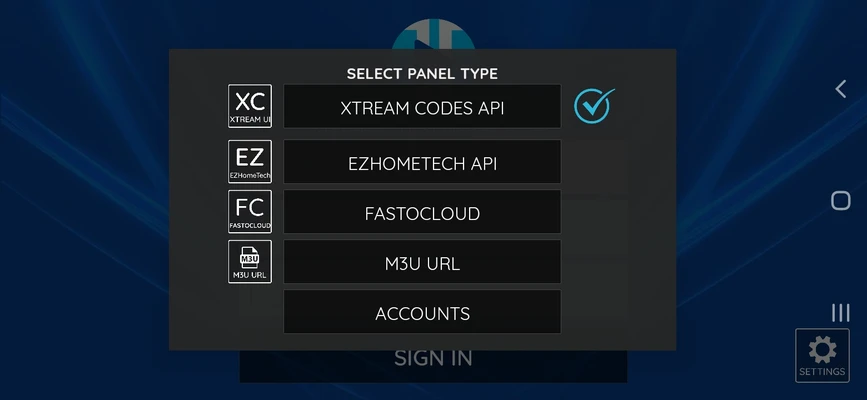
Launch the XCIPTV Player app and select your login method:
- Xtream Codes API: Most common, requires portal URL, username, and password
- M3U Playlist: Alternative method using a direct playlist URL
- Branded Portal: Pre-configured option for specific providers
Complete the login form with your details. Note that all fields are case-sensitive—entering “Username” instead of “username” will cause authentication failures.
After login, the app fetches channel lists, vod categories, and epg data. This initial load may take 1-5 minutes depending on library size and your internet speed.
Once loaded, navigate to:
- Live TV: Browse and watch live channels by category
- VOD: Access movies and standalone content
- Series: Browse TV shows with episode organization
- Catch-up: Watch previously aired programming (where supported)
Customize your home layout (grid, list, or banner view) through the settings menu. If you experience buffering or playback errors, try switching video player engines between ExoPlayer and VLC in the app settings.
Choosing the Right Option
Selecting the right IPTV service is crucial for a satisfying streaming experience, and XCIPTV stands out as a top choice for users seeking variety, quality, and compatibility. When evaluating your options, consider the number of channels offered, the quality of video streams, and how well the service works across your devices.
XCIPTV delivers a comprehensive range of channels, including live TV, VOD, and catch-up TV, ensuring there’s always something to watch. The app is optimized for Android devices, Android TV, and smart TVs, providing a user-friendly interface that makes it easy to browse and access your favorite channels. Even on older devices, XCIPTV is designed for smooth performance, so you can enjoy HD streaming without lag or interruptions.
To get the most out of your IPTV service, ensure your internet speed meets the recommended minimum—at least 15 Mbps for HD video quality. XCIPTV supports multiple devices, allowing you to stream your favorite content on the device that suits you best, whether it’s a TV, tablet, or smartphone. With robust support and compatibility, XCIPTV makes it simple for users to enjoy high-definition video, a wide selection of channels, and a seamless streaming experience. By choosing XCIPTV, you’re opting for an IPTV app that’s optimized for performance, packed with features, and ready to deliver the content you love.
XCIPTV Player Features and Interface (2026)
The official xciptv player has evolved into a feature-rich application with regular updates improving epg functionality, backup/restore capabilities, and cross-device sync. The app is optimized for remote control navigation on Android TV and Firestick, making it accessible even for users who aren’t particularly tech-savvy.
Core technical capabilities include:
- Dual player support: ExoPlayer and VLC Player engines
- HLS adaptive streaming for stable playback
- Hardware decoding via GPU for H.264 content
- Resolution support from SD up to 4K UHD at 60 FPS
Interface Modules
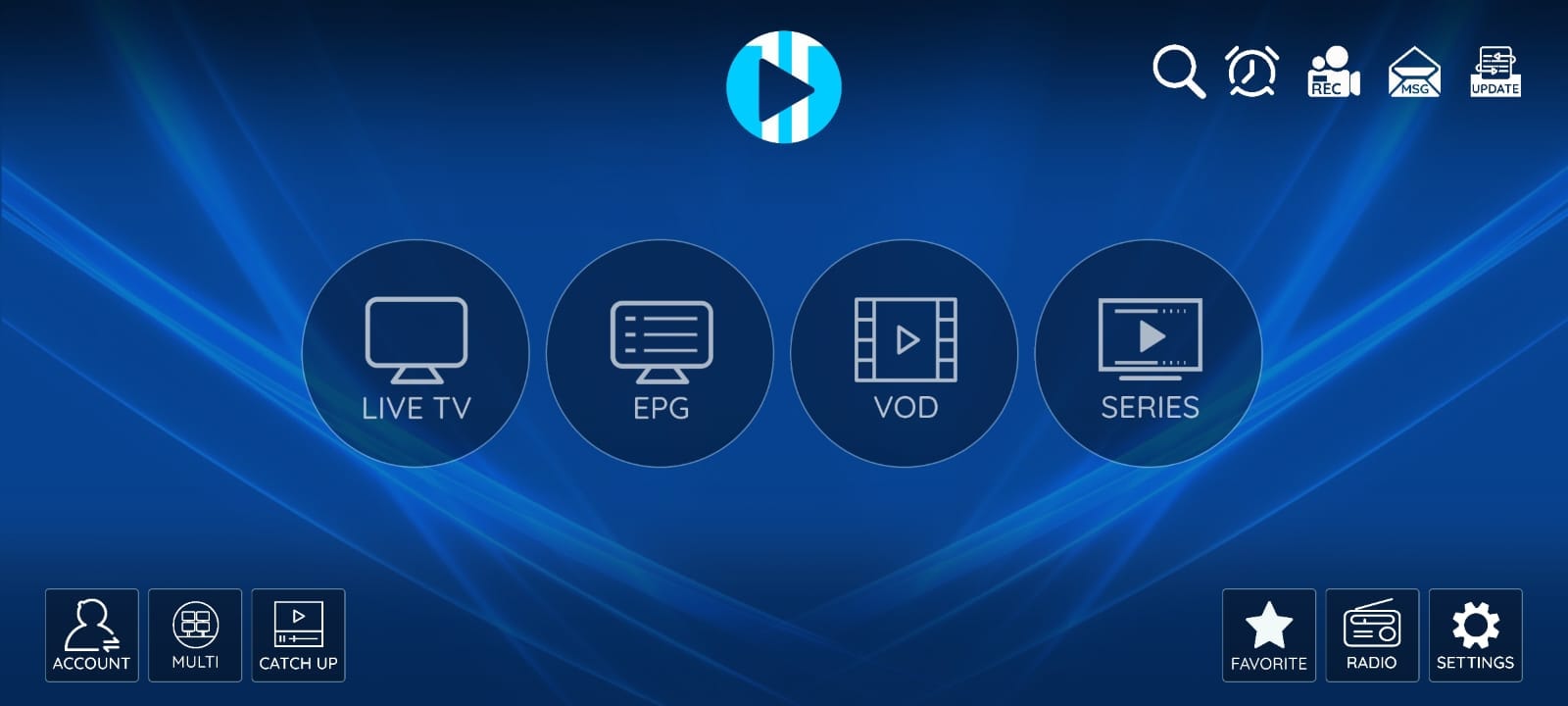
The main interface organizes content into distinct sections:
- Live TV: Channel grid with category filtering
- VOD: Movie library with search and categories
- Series: TV shows organized by season and episode
- Catch-up: Time-shifted content from past broadcasts
- Multi-Screen: Watch 2-4 channels simultaneously
- Recordings: Locally stored captured content
Personalization Features
- PIN-protected parental control for restricting mature content
- Favorites list for quick access to preferred channels
- Last-watched channel memory
- Per-category viewing history
- Customizable themes and layouts
- Multiple user profiles for household members
XCIPTV does not provide any content. Users must connect to legal iptv or media sources they already have rights to use.
Electronic Program Guide (EPG) & TV Guide
The electronic program guide in XCIPTV offers a full-screen display with both grid and list views. Where supported by the iptv provider, schedules can extend up to 7 days in advance, enabling users to plan their viewing.
Key EPG capabilities:
- Filter by category (sports, movies, kids, news)
- Jump to specific dates and times using navigation keys
- Set reminders for upcoming live events
- Schedule recordings directly from the guide
- Picture-in-picture mode on compatible Android TV devices
The accuracy of your EPG depends entirely on your iptv provider—XCIPTV simply displays whatever data is supplied through the portal or EPG URL.
HD, FHD, and 4K Sports & Movies
XCIPTV-powered services typically offer multiple quality tiers:
| Quality | Resolution | Typical Content | Required Speed |
|---|---|---|---|
| HD | 720p | Standard channels | 10-15 Mbps |
| FHD | 1080p | Most channels | 20-25 Mbps |
| 4K/UHD | 2160p | Premium sports/movies | 35-50 Mbps |
Sports channels frequently stream at 60 FPS for smooth motion during football matches, basketball games, Formula 1 races, and UFC events. This higher frame rate eliminates the choppy appearance common with 30 FPS streams during fast action.
XCIPTV’s HLS adaptive bitrate support helps stabilize quality if your bandwidth temporarily drops, automatically adjusting resolution rather than stopping playback entirely.
For users on limited connections:
- Lower resolution manually in provider settings
- Use Ethernet instead of Wi-Fi for big events
- Close other bandwidth-consuming applications
- Consider a VPN server closer to your physical location
Device Compatibility & Multi-Screen Mode
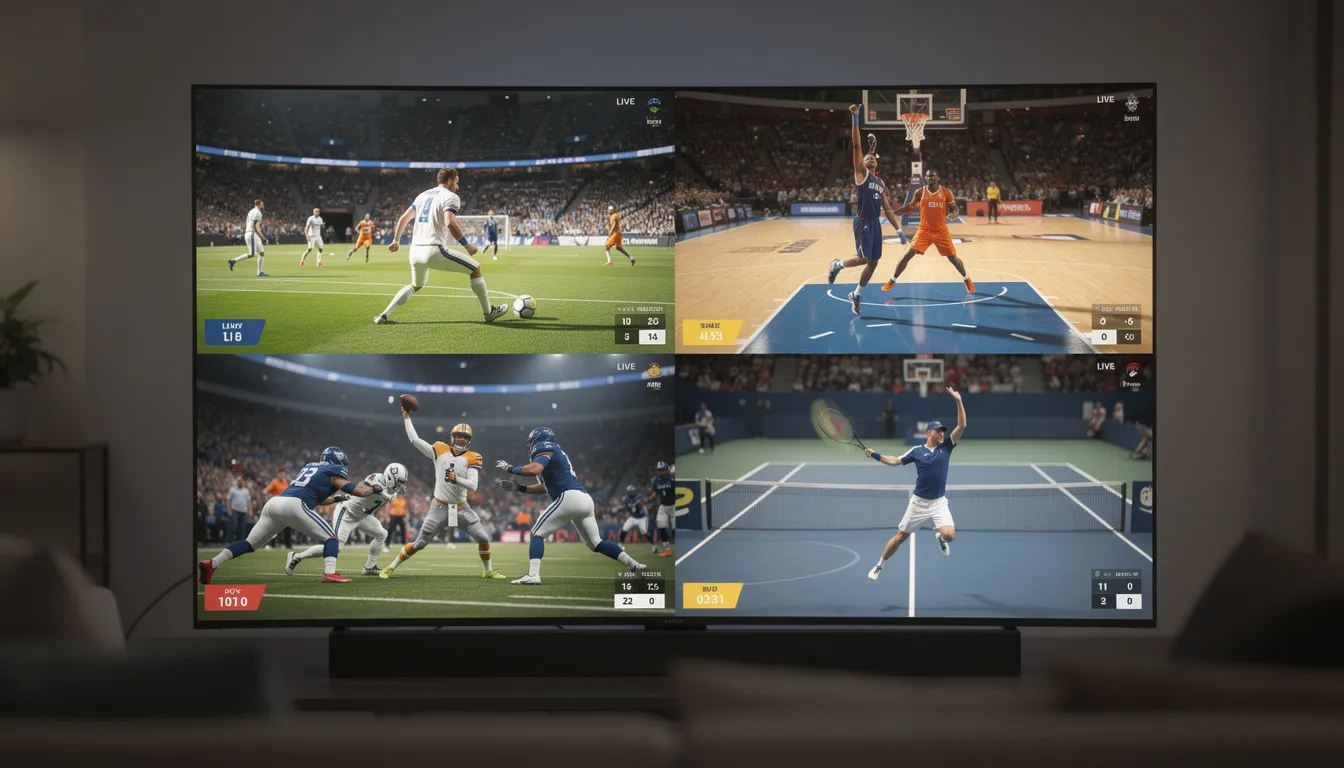
The multi-screen feature allows 2-4 channels to play simultaneously on supported devices. This mode proves ideal for watching multiple sports matches at once or monitoring different content streams in parallel.
Hardware requirements:
- Dual-screen: Minimum 2 GB RAM recommended
- Quad-screen: 3-4 GB RAM without stuttering
- Standard smartphones may be limited to 2 streams due to CPU/GPU constraints
Note that multi-screen still uses one IPTV account. If your provider restricts connections, you’ll need a multi-connection subscription plan to avoid triggering automatic blocking.
Safety, Legality, and Fraud Prevention
Understanding the distinction between the safety of the XCIPTV Player app and the legality of content accessed through it is essential for responsible usage.
App Safety
Independent scans (including VirusTotal as of early 2026) show the official XCIPTV APK to be free of known malware. However, users must avoid modified APKs from unknown websites, as these may contain malicious code or unwanted modifications.
Only download from:
- The official XCIPTV website
- Trusted repositories with verified uploads
- Direct links provided by reputable IPTV services
Legal Considerations
Use XCIPTV only with legal IPTV providers that have proper rights to the content they distribute. This includes:
- Licensed channels with official distribution agreements
- Legitimate streaming services with proper content rights
- Local or free-to-air playlists from authorized sources
Fraud Prevention
Watch for these warning signs of scam websites:
- Recently registered domains (less than 6 months old)
- No company registration or contact information
- Prices significantly below market rates
- Requests for payment via untraceable methods only
- Use of the “XCIPTV” name to imply official status
VPN Recommendations
Using a reputable vpn when accessing third-party iptv can:
- Protect your privacy from ISP monitoring
- Reduce potential throttling
- Add a layer of security on public networks
However, understand that a VPN does not legalize illegal content—it simply adds privacy to your connection.
XCIPTV vs Alternatives (UHF IPTV App, GSE Smart IPTV, and Others)
While XCIPTV delivers excellent performance on Android devices, comparing it with alternatives helps users make informed decisions based on their specific needs.
UHF IPTV App
UHF IPTV App represents a modern IPTV player focusing on:
- Minimalistic UI design
- Strong EPG integration
- Quick channel zapping
- Optimized for Android TV and Firestick
UHF excels at lightning-fast channel switching and offers a clean interface that appeals to users who prioritize simplicity over extensive features. However, it may lack some advanced features like offline downloads and recording that XCIPTV provides.
GSE Smart IPTV
GSE Smart IPTV is a long-established multi-platform player with:
- Support for Android, iOS, and some smart TVs
- Advanced playlist management (M3U/Xtream Codes)
- Comprehensive EPG imports and editing
- Widget integration on Samsung TVs
GSE’s cross-platform compatibility makes it ideal for households with mixed device ecosystems, particularly those including Apple products. Some users report GSE occasionally stuttering on high-bitrate streams where XCIPTV handles them more fluidly.
Comparison Summary
| Feature | XCIPTV | UHF IPTV App | GSE Smart IPTV |
|---|---|---|---|
| TV-Optimized UI | ✓ Excellent | ✓ Good | Moderate |
| Multi-Screen | ✓ 2-4 channels | Limited | No |
| Recording | ✓ Built-in | Limited | Workarounds |
| Offline Download | ✓ Native | No | No |
| Cross-Platform | Android only | Android only | Android, iOS, Smart TV |
| Playlist Management | Standard | Minimal | ✓ Advanced |
| Forum Ratings | 4.5+ | 4.3 | 4.2 |
Test your IPTV credentials across XCIPTV, UHF IPTV App, and GSE Smart IPTV to determine which delivers the best performance and usability on your specific device.
Uptime, Reliability, and Refund Policies
One of the main selling points IPTV providers using XCIPTV emphasize is high uptime and reduced buffering. Understanding what these claims actually mean helps set realistic expectations.
Uptime Guarantees
When providers advertise “99%+ uptime,” this typically means:
- Very few complete outages throughout the year
- Short maintenance windows announced in advance via Telegram or email
- Individual channel issues addressed within hours
- Redundant server infrastructure for failover
Factors Affecting Reliability
Your streaming experience depends on multiple factors:
- Provider infrastructure: Server quality, CDN usage, capacity
- Server proximity: Distance between servers and your location
- ISP behavior: Throttling of streaming traffic
- Local network: Wi-Fi quality, router performance, competing bandwidth usage
Testing and Refunds
Trustworthy providers typically offer:
- 24-72 hour free test lines before purchase
- 3-7 day money-back guarantees if service doesn’t work as promised
- Clear refund terms including deadlines and eligible issues
- Documentation of refund request procedures
Read refund policies carefully. Most cover complete failure to activate but may not apply to minor issues like occasional channel problems or personal preference.
How to Install XCIPTV on Android TV and Firestick
Installing XCIPTV varies slightly between Android TV (with potential play store access) and Firestick (requiring sideloading). Both methods result in the same functional app.
After you install XCIPTV Player and launch the app, you may see a message or notification—such as a page redirect message—confirming successful installation or prompting you for further action.
Android TV Installation
For devices with google play store access:
- Navigate to the Play Store from your home screen
- Use the search icon to find “XCIPTV”
- Select the app and tap Install
- Wait for download and installation to complete
- Launch from your apps folder
If XCIPTV isn’t available in your region’s Play Store, proceed with APK sideloading similar to the Firestick method.
Firestick Installation
Since XCIPTV isn’t in Amazon’s store, sideloading is necessary:
- Go to Settings > My Fire TV > Developer Options
- Enable “Install unknown apps” for Downloader (or your preferred browser)
- Install the Downloader app from Amazon’s store
- Open Downloader and navigate to the official XCIPTV APK URL
- Download the file and a pop up will appear requesting installation confirmation
- Confirm and wait for installation
- The app appears in your apps list
Post-Installation Setup
Once installed, adding IPTV credentials follows the same process across all Android devices:
- Open XCIPTV Player
- Choose your login method (Xtream Codes recommended)
- Enter your portal URL, username, and password
- Save and connect
Always download the XCIPTV APK from official sources. Random third-party hosting sites may distribute outdated or modified versions containing malware.
Optimizing XCIPTV: Tips for Best Streaming Quality
Even the best IPTV app requires correct settings and a stable network to perform optimally. These optimization tips address common issues and maximize your streaming experience.
Network Optimization
- Use wired Ethernet connections when possible—adapters are available for Firestick
- Position Wi-Fi 5/6 routers near your streaming device
- Minimize interference from other wireless devices
- Consider mesh Wi-Fi systems for larger homes
- Close bandwidth-heavy applications on other devices during 4K streaming
XCIPTV Settings Adjustments
- Switch between ExoPlayer and VLC if specific channels buffer
- Adjust pre-buffering settings (1-2 seconds typically works well)
- Enable hardware decoding for devices with capable GPUs
- Lower default resolution if your connection is inconsistent
Regular Maintenance
- Clear XCIPTV’s cache periodically through app settings
- Restart routers and modems weekly
- Check for app updates via the folder where you downloaded the APK
- Reboot your streaming device if performance degrades over time
Recording Best Practices
- Schedule recordings during off-peak hours when possible
- Avoid simultaneous downloads or heavy gaming while recording
- Ensure adequate storage space on your device
- Test recording functionality before important events
Staying Up-to-Date
Keeping your XCIPTV app updated is essential for enjoying the latest features, improved performance, and the most stable streaming experience. Users can easily check for updates on the Google Play Store or download the latest APK directly from the official website. The installation process is straightforward: simply follow the on-screen instructions to install the app on your Android device or Android TV.
With each new version, the XCIPTV app introduces enhancements that improve usability, add new channels, and expand the selection of movies and series available for streaming. Regular updates also address bugs and security issues, ensuring that users always have access to the best IPTV experience possible.
To stay current, periodically visit the Play Store or the official XCIPTV website to download the latest version of the app. Once installed, you’ll benefit from a smoother interface, faster access to channels, and the latest content updates. By keeping your app up-to-date, you ensure that your Android device or TV is always ready to deliver top-quality streaming, whether you’re watching live TV, movies, or your favorite series.
Frequently Asked Questions (FAQ)
This FAQ addresses common questions that new users in 2026 might have about XCIPTV, particularly regarding the distinction between the player app and XCIPTV-branded services.
Is XCIPTV a legal IPTV service or just an app?
XCIPTV is officially an IPTV player app only. It does not host, sell, or distribute channels, movies, or series—it simply plays content from servers that users configure themselves.
Legality depends entirely on the IPTV provider and the content being streamed. Users should only connect to services that have proper distribution rights in their country. Check local regulations and research provider transparency (company details, licensing information) rather than assuming all IPTV is uniformly legal or illegal.
Does XCIPTV include any free channels or movies by default?
XCIPTV includes no built-in channels, VOD, or playlists. After installation, it’s essentially an empty player awaiting configuration.
Users must add their own legal iptv subscription, local media servers, or free-to-air playlists from legitimate sources. Be cautious of websites offering “preloaded” XCIPTV apps with content already included—these often violate copyright and may contain malware.
How many devices can I use with my XCIPTV IPTV subscription?
Device limits are controlled by your IPTV provider, not XCIPTV itself. Subscription plans vary:
- Basic plans: Often 1 simultaneous connection
- Standard plans: 2 connections
- Premium/Family plans: 3-4 or more connections
The xciptv app can be installed on multiple devices, but simultaneous streaming is restricted by your account’s connection limits. Exceeding these limits typically triggers automatic blocking. Check your provider’s plan details and purchase multi-connection upgrades if needed.
Why does XCIPTV buffer or freeze on my Firestick?
Common causes include:
- Weak Wi-Fi signal or distance from router
- ISP throttling of streaming traffic
- Overloaded IPTV server during peak hours
- Incorrect video player engine for your device model
Solutions to try:
- Move closer to your router or use an Ethernet adapter
- Switch from ExoPlayer to VLC (or vice versa) in settings
- Test channels at non-peak hours to identify server issues
- Contact your IPTV provider if specific channels consistently buffer while others work fine
Is UHF IPTV App or GSE Smart IPTV better than XCIPTV?
“Better” depends on your specific device, preferences, and IPTV provider compatibility. All three are capable iptv players with different strengths:
- XCIPTV: Excels on Android TV/Firestick with TV-friendly interface, multi-screen viewing, and built-in recording
- UHF IPTV App: Focuses on speed, simplicity, and quick channel zapping
- GSE Smart IPTV: Shines with advanced playlist management and multi-platform support (including iOS)
The best approach is to test your IPTV credentials on each compatible app and keep the one that delivers the most stable, responsive experience on your hardware. Most IPTV subscriptions work across all three players without additional fees.
Introduction to IPTV Services
IPTV (Internet Protocol Television) services have transformed the way users around the world watch live TV, movies, and series. By leveraging the power of the internet, IPTV allows viewers to access a vast selection of channels and on-demand content from virtually any location, eliminating the limitations of traditional cable or satellite TV. With an IPTV subscription, users can enjoy global entertainment, including sports, news, and movies, all delivered directly to their preferred device.
One of the standout IPTV players in this space is XCIPTV. Known for its user-friendly interface and robust compatibility, the XCIPTV player makes it easy for users to install and start streaming on Android devices, Android TV, and Firestick. Key features such as Electronic Program Guide (EPG) support, multi-device access, and seamless integration with various IPTV services set XCIPTV apart from other IPTV players. Whether you want to watch live TV, catch up on your favorite series, or explore a world of movies, XCIPTV provides a complete solution for accessing and managing your IPTV content.
In this guide, we’ll walk you through how to install XCIPTV Player, explore its key features, and highlight the benefits of using this powerful app to enhance your TV viewing experience.
Streaming Options
XCIPTV offers a flexible range of streaming options designed to fit every user’s needs and device preferences. Whether you’re watching on a large-screen Android TV, a compact Firestick, or a portable Android smartphone or tablet, the XCIPTV app ensures a smooth and enjoyable experience. The app’s compatibility with multiple devices means you can start a movie in your living room, continue watching on your tablet in the kitchen, or catch live TV on your phone while on the go.
With support for live TV, VOD, and series, XCIPTV allows users to access their favorite channels and content from a single, unified home screen. The app’s optimized layouts and user-friendly interface make it easy to browse through channel categories, search for specific shows, and manage playlists. Thanks to features like the electronic program guide (EPG), you can plan your viewing schedule and never miss a live event or new episode.
Streaming quality is another highlight, with the XCIPTV player supporting HD, FHD, and even 4K video, provided your internet speed meets the recommended requirements. The app’s adaptive streaming technology ensures that you get the best possible picture quality based on your connection, minimizing buffering and interruptions. For households with multiple viewers, XCIPTV’s support for multiple connections and devices means everyone can enjoy their favorite content at the same time.
No matter your setup—be it a smart TV, Android box, or mobile device—XCIPTV delivers a complete and customizable IPTV streaming experience, making it easy to access the world of entertainment at your fingertips.
Conclusion
XCIPTV stands out as a top choice for anyone looking to maximize their IPTV subscription and enjoy a world of live TV, movies, and series on their favorite devices. With its user-friendly interface, advanced features like EPG support, and compatibility across Android TV, Firestick, and mobile devices, the XCIPTV player makes it simple for users to access and manage their IPTV content.
By choosing XCIPTV, you benefit from a reliable, feature-rich app that supports multiple devices and connections, ensuring a seamless streaming experience for the whole household. Regular updates and strong support from developers keep the app optimized and secure, while the ability to customize layouts and settings allows you to tailor your viewing experience to your preferences.
As IPTV services continue to evolve, XCIPTV remains at the forefront, offering users a complete, modern solution for streaming live TV and on-demand content from around the world. Install XCIPTV Player today and unlock the full potential of your IPTV service—your gateway to endless entertainment is just a few taps away.